

Keeping detailed battery reconditioning logs helps you spot patterns and identify issues early. When you track performance over time, you understand how cycles and reconditioning steps affect the battery. This organized approach makes troubleshooting more effective, as you can compare results and see what works best. By noting your progress systematically, you’ll gain confidence and improve your techniques. Stay with us to discover how mastering logs can make you even better at troubleshooting.
Key Takeaways
- Logs reveal patterns in battery degradation, aiding early issue detection and diagnosis.
- Detailed records help identify effective reconditioning techniques for specific problems.
- Tracking performance over cycles allows for targeted troubleshooting and process adjustments.
- Organized data enhances understanding of failure causes and prevents unnecessary reconditioning.
- Consistent documentation builds confidence and improves decision-making during troubleshooting.
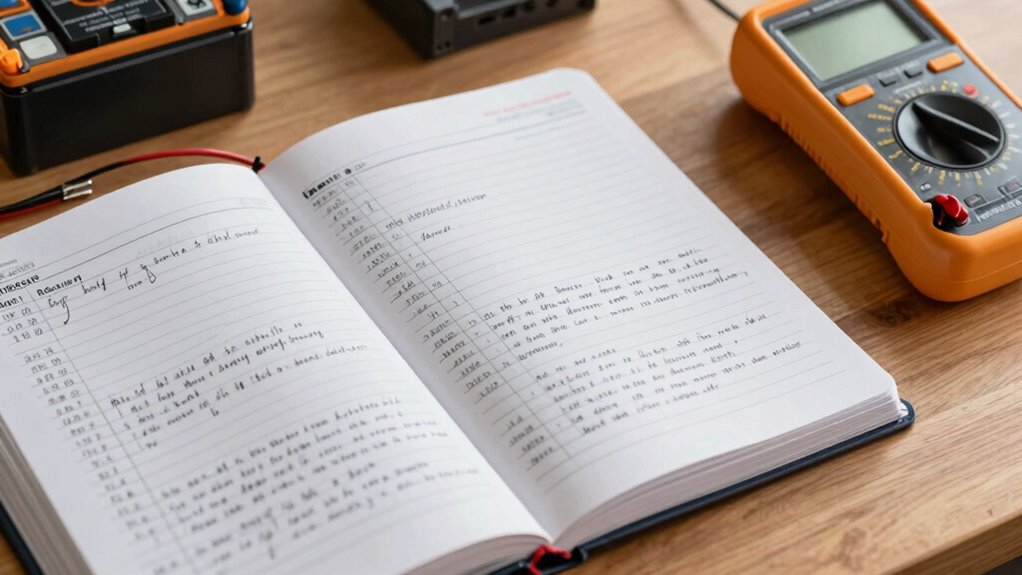
Keeping detailed battery reconditioning logs is vital if you want to track your progress and guarantee consistent results. When you record each step, you develop a clear picture of how your batteries respond over time, helping you identify patterns and troubleshoot more effectively. One of the key benefits of maintaining these logs is understanding the impact of battery lifespan and charging cycles on performance. As you recondition batteries, you’ll notice that their capacity fluctuates depending on how many times they’ve been charged and discharged. By noting these charging cycles, you can predict when a battery is nearing the end of its useful life or when it might need a deeper reconditioning process.
When you track the number of charging cycles, you gain insight into how many cycles your batteries can handle before their capacity diminishes considerably. This information is vital because it allows you to anticipate failures before they happen, saving you time and effort. For example, if you see that a battery’s performance drops sharply after a certain number of cycles, you can plan to recondition it proactively rather than waiting for it to completely fail. Additionally, keeping tabs on battery lifespan helps you evaluate which batteries are worth reconditioning and which ones are beyond saving. This prevents unnecessary work on batteries that are already too degraded, making your troubleshooting more efficient.
Your logs also serve as a valuable reference when diagnosing issues. If you notice inconsistent performance, you can revisit your records to see if certain charging or reconditioning steps correlated with improvements or setbacks. Over time, you’ll develop an intuition for what causes problems—whether it’s an improper charging cycle, insufficient reconditioning, or a battery that simply reached its end of life. Recognizing battery degradation patterns is crucial for effective troubleshooting and maintaining optimal performance. Establishing a thorough record-keeping habit also helps you understand the effects of different reconditioning methods and their impact over multiple cycles. This comprehensive understanding can help you identify signs of battery failure early on, preventing unexpected breakdowns.
Furthermore, detailed logs empower you to refine your techniques. For example, if you observe that a particular reconditioning method yields better results after a specific number of cycles, you can adapt your process accordingly. This iterative approach ensures continuous improvement, transforming you from a novice to a skilled troubleshooter. Ultimately, maintaining thorough reconditioning logs turns your practice into a systematic, data-driven process. It helps you understand the nuanced relationship between battery lifespan, charging cycles, and overall performance, making you more confident in identifying issues and applying the appropriate fixes. Staying organized and attentive to your logs also reinforces your understanding of battery behavior, which is essential for effective troubleshooting and sustainable practices.
As an affiliate, we earn on qualifying purchases.
Frequently Asked Questions
How Often Should I Update My Battery Reconditioning Log?
You should update your battery reconditioning log after each reconditioning session or whenever you notice changes in performance. Regular updates help track the battery’s lifespan and identify patterns over time. This keeps your maintenance schedules accurate and guarantees you catch issues early. Consistently logging details allows you to troubleshoot more effectively, ultimately extending your battery’s life and maintaining peak performance.
What Tools Are Essential for Effective Battery Reconditioning?
Think of your tools as the compass guiding you through a stormy sea of battery health. You’ll need a multimeter to monitor voltage and guarantee proper charging cycles, a charger suited to your battery type, and safety gear like gloves and goggles. These essentials help you diagnose issues, optimize performance, and extend battery life. With these tools, you navigate each reconditioning journey confidently, turning rough waters into smooth sailing.
Can Logs Help Identify Recurring Battery Issues?
Yes, logs can help you identify recurring battery issues, ultimately improving your troubleshooting accuracy. By recording details like voltage drops and charging times, you can spot patterns that signal specific problems. This insight helps extend battery lifespan and prevents future failures. With thorough logs, you become better at diagnosing issues quickly, saving time and resources. Consistent record-keeping turns troubleshooting from guesswork into a precise, efficient process.
How Do I Interpret Inconsistent Data in My Logs?
You interpret inconsistent data in your logs by looking for data anomalies that deviate from normal patterns. These anomalies might indicate irregularities or issues that need attention. Use pattern recognition to compare entries over time, noting any fluctuations or irregular trends. This approach helps you identify underlying problems more quickly, enabling better troubleshooting and more accurate diagnoses of battery issues.
Are Digital Logs More Effective Than Paper Logs?
Digital logs are more effective than paper documentation because they offer better digital organization, quick access, and easier analysis. You might think paper logs are sufficient, but digital records let you spot trends faster and troubleshoot more efficiently. With digital logs, you can easily update, search, and back up data, ensuring your troubleshooting process is streamlined and accurate. This ultimately helps you become more confident and precise in your repairs.
Conclusion
Keeping detailed battery reconditioning logs is like having a map in uncharted territory—you’ll navigate troubleshooting with confidence and clarity. These logs highlight patterns, reveal hidden issues, and sharpen your skills over time. The more you document, the more you’ll understand your batteries’ secrets. So, think of your logs as your trusty compass—guiding you through each challenge and turning you into a true troubleshooting expert, one record at a time.