TL;DR

Get backup power and energy gear delivered free with Prime
- Fast, free delivery on millions of items
- Prime Video, Amazon Music and more included
- Member-only deals all year
Prebuilt AI workstations are now often as affordable as DIY, thanks to component shortages and bulk buying. Your choice depends on time, control, and support needs, not just price. Consider your workflow and expertise before deciding.
If you’re eyeing a powerful AI workstation, you’ve probably heard the age-old debate: build it yourself or buy prebuilt? But in 2026, that question isn’t just about savings. It’s about time, reliability, and whether you want to pull the levers or let someone else do it for you. The rising costs of GPUs, RAM, and SSDs mean the old rule — that DIY is always cheaper — is crumbling. So, how do you decide? This article breaks down the real trade-offs, with concrete examples, so you can pick what fits your AI workload and workflow best.
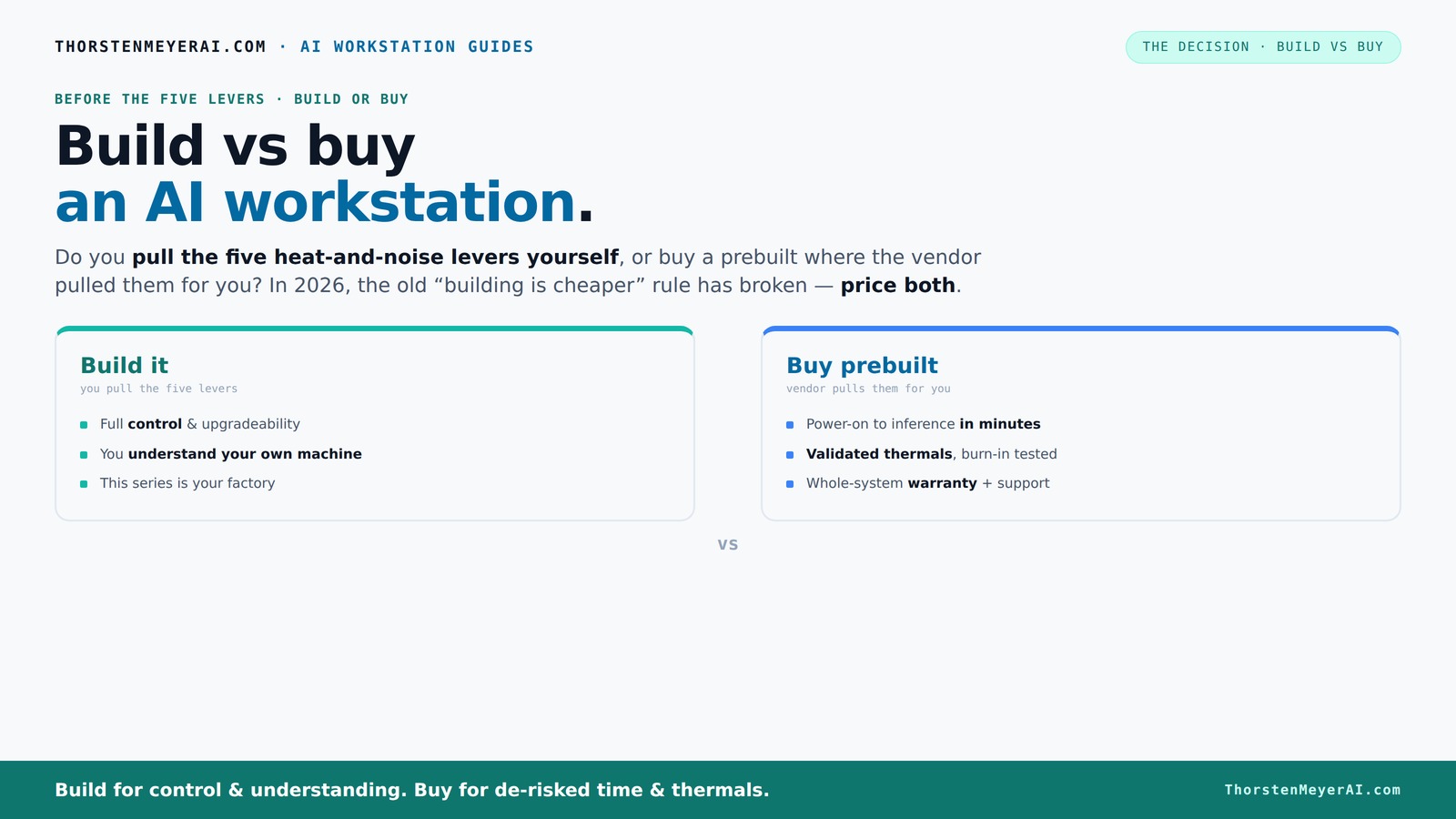
Build vs buy
an AI workstation.
The real question behind this whole series: do you pull the five heat-and-noise levers yourself, or buy a prebuilt where the vendor pulled them for you? And in 2026, the old “building is cheaper” rule has broken. Match your situation in Part 3.
Key Takeaways
- In 2026, prebuilt AI workstations can match or beat DIY costs due to component shortages and vendor discounts.
- Support, warranty, and thermal validation are often stronger with prebuilt systems, reducing operational risks.
- DIY offers unmatched customization and upgradeability but requires time, expertise, and ongoing troubleshooting.
- Evaluate your workload pattern—heavy, sustained AI tasks may favor local systems, while bursty workloads lean toward cloud or prebuilt.
- Market trends suggest hybrid solutions will become more common, blending the best of both worlds.
As an affiliate, we earn on qualifying purchases.
Why 2026 Changes Everything About Build vs Buy
Building your own AI workstation used to be the no-brainer choice for saving money. But in 2026, component shortages and bulk buying have flipped that script. A high-end GPU like the NVIDIA RTX 4090 now costs around $1,600 — a 25% jump from just two years ago — while prebuilt vendors secured discounts and buy-in that let them offer systems at comparable or even lower prices. According to [3], the price difference is no longer predictable, so your best move is to compare actual quotes for your custom setup versus a prebuilt.
This shift means that cost isn’t the only factor anymore. Support, warranty, and thermal validation now weigh heavily in the decision. A prebuilt system arrives ready to run, with extensive testing, a warranty, and support — all crucial if your AI workloads are mission-critical.
Choosing between build and buy now involves evaluating these additional factors. Support and warranty are especially important because they directly impact operational continuity. When you buy prebuilt, you’re essentially outsourcing the risk of hardware failure or thermal issues, which can be costly and time-consuming to troubleshoot on your own. Learn more about build vs buy options. This can be a decisive advantage for those who need their systems to be reliable under continuous heavy loads, as well as for teams that lack the time or expertise for extensive hardware tuning. The tradeoff is often between initial cost savings and long-term peace of mind, especially when your work depends on system uptime.
Who Pulls the Levers? Building vs Buying in Practice
Think of a high-power AI workstation as a furnace that needs careful tuning. The five levers are: undervolting the GPU, matching the cooling system, optimizing airflow, tuning fan curves, and positioning the system for best thermals. When you buy prebuilt, the vendor pulls these levers for you — validating thermals, testing for heat and noise, and often installing water cooling for quieter operation. They offer a system that’s ready to handle sustained loads without throttling, backed by a warranty.
If you build it yourself, you take on the responsibility. You choose a quiet GPU like the RTX 4080, undervolt it using guides [4], pick a cooling solution [5], and tweak airflow [6]. This process isn’t just about making the system quieter; it’s about understanding thermal dynamics and balancing performance with stability. Proper tuning can extend component lifespan and reduce noise, but it requires a deep understanding of hardware interactions. See how build vs buy compares for AI workstations. The tradeoff is between gaining full control and investing significant time and effort. Guides on building vs buying AI workstations can help you decide.
When Should You Buy a Prebuilt — And When DIY Makes Sense
Prebuilt systems make sense if you want a plug-and-play experience and value support. For instance, a BIZON AI workstation with validated thermals, 24–48 hours of stress testing, and a 3-year warranty can get you up and running in minutes. If your time is valuable or you’re deploying multiple systems, the convenience often outweighs the extra cost.
On the flip side, building your own rig shines if you crave customization. Maybe you’re experimenting with unconventional cooling, or you need a specific motherboard or RAM configuration. Hobbyists and students often find that DIY stretches their budget further, especially if they already own some parts. Beyond cost savings, building your own system allows you to tailor every component to your specific workload and future upgrade plans. This flexibility can lead to better long-term performance and cost efficiency, but it comes with the need for technical skills and time investment. Explore reviews and guides on hardware upgrades. The decision hinges on your priorities: immediate deployment and support, or maximum customization and learning experience.
Cost Comparison: Building vs Buying in 2026
| Factor | Build Your Own | Buy Prebuilt |
|---|---|---|
| Price of components | Variable; often higher due to shortages, e.g., GPU $1,600+ | Often includes discounts, e.g., $3,000 for a high-end system |
| Assembly & testing | DIY time cost; can take 10-20 hours | Included; validated and tested before shipping |
| Support & warranty | Fragmented; depends on parts | Comprehensive; up to 5-year support |
| Thermal & noise tuning | You do it; requires expertise | Pre-validated; optimized factory tuning |
Upgrade Paths and Maintenance — Can You Keep It Current?
Building your own system gives you the flexibility to upgrade parts like RAM, storage, or even GPU over time. You buy a motherboard with PCIe 4.0 or 5.0 support, making future upgrades smoother. This means you can extend the system’s lifespan and adapt to evolving workloads, potentially saving money in the long run. However, this advantage depends on choosing a system with compatible, upgradable components and avoiding proprietary hardware that limits future upgrades.
In contrast, many prebuilt systems are designed with fixed configurations, which can limit upgrade options. Some vendors incorporate proprietary power supplies or non-standard components that make future upgrades more complicated or costly. When selecting a prebuilt, it’s crucial to review the upgrade policy and component compatibility to ensure your investment remains flexible over time. The tradeoff here involves balancing upfront convenience against long-term adaptability and cost savings—discover more about hardware upgrade strategies if you anticipate significant future upgrades.
Support and Warranty — Why They Matter More for AI
AI workloads are demanding. A system failure during a major training run can cost days or thousands in lost compute time. Prebuilts often include extensive warranties and support — up to 5 years with onsite service, like BIZON or Puget. They test the whole system, ensuring thermal stability and reliability. This comprehensive support minimizes downtime and mitigates risks associated with hardware failures, which are especially costly in AI environments where time and data integrity are critical.
DIY setups leave you responsible for troubleshooting. Without manufacturer support, diagnosing thermal issues or hardware failures can take hours or days, especially if you lack experience. This can lead to significant delays and additional costs. Having a support line and warranty not only provides peace of mind but also ensures faster resolution of issues, reducing downtime and protecting your investment. For mission-critical AI applications, the operational risk reduction and peace of mind offered by prebuilt support can be invaluable.
Cloud vs Local: Which Is Cheaper Over Time?
Running AI workloads locally can be cheaper over time if you use your system frequently. According to [1], a local deep-learning workstation could cost less than $10,000 over three years for heavy use, while cloud GPU rentals might cost $20,000 or more for the same workload. But, cloud offers flexibility for bursty or short-term tasks, eliminating the need for large upfront investments and hardware maintenance.
Consider your workload pattern carefully. If you’re training models daily or running continuous inference, owning a local system often proves more economical in the long run, especially when factoring in electricity costs and hardware depreciation. Conversely, if your projects are sporadic or unpredictable, cloud services allow you to scale resources temporarily without the commitment of hardware ownership. This economic tradeoff is crucial for planning your infrastructure investments and operational costs.
The Future of AI PCs: Trends and What They Mean for Your Choice
AI PCs are evolving fast. Vendors are integrating AI-specific features like NPU acceleration and optimized workflows [2]. The market is shifting toward hybrid solutions, blending prebuilt convenience with build-your-own flexibility. This means your decision in 2026 isn’t binary — you might buy a system for immediate work and upgrade it later, or customize parts for specific workloads.
Stay aware of trends like faster PCIe standards, better cooling solutions, and AI-optimized hardware. These advancements will influence the performance, scalability, and cost of future systems. For example, upcoming PCIe 5.0 and 6.0 standards will enable faster data transfer, reducing bottlenecks in data-heavy AI tasks. Cooling innovations may allow higher thermal densities, enabling more powerful GPUs in smaller cases. Recognizing these trends helps you future-proof your investment and make smarter decisions aligned with technological progress.
Frequently Asked Questions
Is it cheaper to build or buy a prebuilt AI workstation?
In 2026, component shortages and bulk buying mean prebuilt systems often match or beat DIY costs, especially when factoring in assembly, support, and warranty. It’s best to compare specific quotes for your configuration.How much more does a prebuilt cost after support and warranty are included?
Support and warranties can add 10-20% to the system’s price but save you hours of troubleshooting and reduce operational risks. For mission-critical workloads, this often pays for itself.What performance difference should I expect between build and prebuilt systems?
Prebuilts are tested for thermal stability and often include optimized cooling, meaning they can sustain higher loads without throttling. DIY systems can match this if you tune carefully but require effort.Which option is better for training, fine-tuning, or inference?
For continuous, heavy workloads, prebuilt systems with validated thermals and support are safer bets. For experimentation and flexibility, DIY offers customization but with more risk.Can I upgrade a prebuilt later, or will it be hard to service?
Many high-end prebuilts support upgrades, but some might have proprietary parts. Check the vendor’s upgrade policy before buying, especially if you plan to expand over time.Conclusion
Choosing between build and buy isn’t just about saving money anymore. It’s about what level of control, support, and reliability your AI workload demands. As the market evolves, so should your strategy.
Remember, the right choice aligns with your workflow — whether you want to tweak every detail or just get started immediately. Your perfect AI workstation is the one that fits your needs, not the one that’s easiest to build.
Halloween Picks
halloween
As an affiliate, we earn on qualifying purchases.