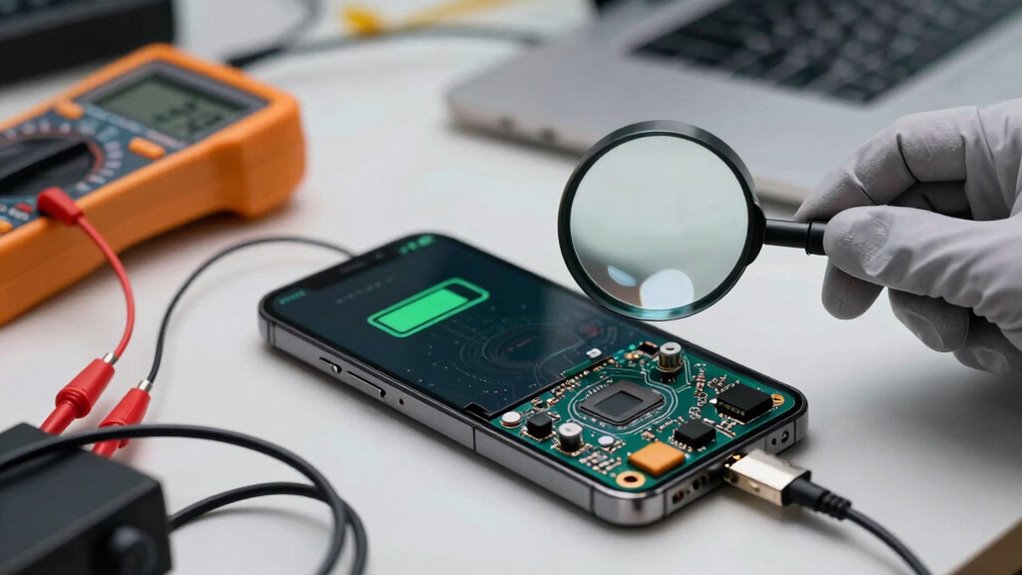
When you complain about battery runtime, it’s important to get a proper diagnosis before jumping to conclusions. Many issues stem from software bugs, misconfigured settings, or natural aging rather than hardware failure. Rushing into replacements or repairs can be unnecessary and costly. By understanding the real cause, you can apply the right solution and avoid unnecessary expenses. Keep exploring, and you’ll discover how to identify and fix the root problems effectively.

Get backup power and energy gear delivered free with Prime
- Fast, free delivery on millions of items
- Prime Video, Amazon Music and more included
- Member-only deals all year
Key Takeaways
- Misdiagnosing software issues or settings as hardware faults can lead to unnecessary battery replacements.
- Accurate diagnosis distinguishes between aging, software bugs, or user behavior causing runtime problems.
- Proper checks prevent premature battery replacement by confirming if the battery is truly at end-of-life.
- Understanding the impact of charge cycles and temperature helps identify if aging is affecting performance.
- Holistic evaluation ensures targeted solutions, saving time, money, and improving device reliability.

Many users find themselves frustrated when their device’s battery doesn’t last as long as expected, especially during critical tasks. This frustration often leads to quick assumptions about the battery’s health, but the root cause isn’t always straightforward. Before jumping to conclusions, it’s imperative to understand that battery aging plays a significant role in reduced runtime. Over time, batteries naturally lose capacity, which diminishes their ability to hold a charge. This process isn’t sudden but gradual, and it’s influenced by factors like charge cycles and temperature exposure. Recognizing battery aging helps you set realistic expectations and encourages proper maintenance rather than unnecessary replacements.
However, addressing battery aging alone isn’t enough. Power management practices are equally essential. Many users overlook the importance of optimizing device settings to extend battery life. Features like screen brightness, background app activity, and network usage can drain energy rapidly if not managed well. An overactive app running in the background, for example, can cause unexpected battery drain, giving the impression that the battery itself is degrading faster than it actually is. Proper power management involves adjusting settings, closing unused apps, and using built-in battery saver modes to maximize runtime. This approach often provides immediate improvements without the need for costly repairs or replacements. Additionally, software updates can significantly improve power efficiency by fixing bugs or optimizing system performance.
When complaints about battery life arise, it’s tempting to assume a hardware fault or faulty battery, but this isn’t always the case. Many devices experience temporary power issues caused by software bugs or misconfigured settings. Conducting a thorough diagnosis is essential to identify whether the problem stems from battery aging, poor power management, or something else entirely. For instance, updating the device’s firmware can fix bugs that cause abnormal power consumption. Similarly, resetting certain settings or recalibrating the battery can sometimes restore ideal performance. Understanding the impact of software on power consumption can help you troubleshoot more effectively. Without proper diagnosis, you risk wasting time and money replacing batteries unnecessarily or applying ineffective solutions. Performing battery health checks can further aid in the diagnosis process, ensuring that you’re addressing the correct issue. In addition, understanding the factors influencing battery life can help you implement more effective strategies for extending device runtime.
In essence, understanding why battery runtime complaints occur requires a holistic approach. Battery aging is a natural process, but its impact can be mitigated by good power management habits. Conversely, many runtime issues are rooted in software or user behavior rather than hardware failure. Conducting a comprehensive diagnosis ensures that you target the correct issue, whether it’s optimizing power settings, updating software, or replacing the battery if it has truly reached the end of its lifespan. Better diagnosis helps you target the real problem, whether it’s optimizing power settings, updating software, or replacing the battery if it has truly reached the end of its lifespan. By focusing on these factors first, you guarantee that your device’s battery health is accurately assessed and maintained, saving you time, money, and frustration in the long run.
As an affiliate, we earn on qualifying purchases.
Frequently Asked Questions
How Can I Accurately Measure My Device’s Battery Health?
To accurately measure your device’s battery health, start with a battery calibration by fully charging it to 100% and then letting it drain completely. Pay attention to your charging habits—avoid overcharging or frequent partial charges, as they affect health. Use built-in tools or third-party apps to monitor battery capacity and cycle count. Regular calibration and mindful charging help you get a clearer picture of your battery’s true condition.
What Are Common Signs of Battery Degradation?
When your device starts acting up, it’s a sign your battery may be on its last legs. Common signs of degradation include shorter battery lifespan, longer charging times, and unexpected shutdowns. You might also notice that your battery doesn’t hold a charge like it used to. It’s a case of “fighting an uphill battle” if you ignore these signs. Good charging habits can extend your battery’s life and keep it running smoothly longer.
Can Background Apps Affect Battery Life Significantly?
Yes, background processes can profoundly impact your battery life. When apps run in the background, they consume power even when you’re not actively using them. Proper app optimization helps reduce this drain by limiting unnecessary background activity. To improve battery life, you should regularly check and manage background processes, close unused apps, and optimize app settings. This way, your device conserves energy, extending overall battery runtime.
How Does Temperature Impact Battery Performance?
Temperature considerably impacts your battery’s performance through thermal effects that can cause it to drain faster or degrade over time. When your device gets too hot or cold, it disrupts ideal chemical reactions inside the battery. Regular temperature calibration helps maintain accurate battery readings and performance. By managing thermal effects and ensuring proper temperature calibration, you can extend your battery’s lifespan and improve runtime, avoiding unexpected shutdowns or reduced efficiency.
Are There Software Tools to Diagnose Battery Issues?
Sometimes, your device’s whispers about battery issues call for gentle listening. You can use software tools designed for battery calibration and hardware diagnostics to uncover underlying problems. These tools help you understand if your battery’s performance decline is due to calibration needs or hardware faults. By diagnosing early, you prevent frustrating surprises, ensuring your device remains reliable and your experience stays smooth. Trust these tools to keep your device running at its best.
Conclusion
Next time your device’s battery drains faster than a knight’s resolve at the Battle of Hastings, don’t just curse the battery. Instead, take a moment to diagnose the real issue—maybe it’s just a rogue app or outdated software. Jumping straight to a replacement is like bringing a sword to a gunfight. Remember, a proper diagnosis is your secret weapon, saving you from unnecessary expenses and frustration—because even in the digital age, a little detective work can save the day.
Halloween Picks
halloween
As an affiliate, we earn on qualifying purchases.