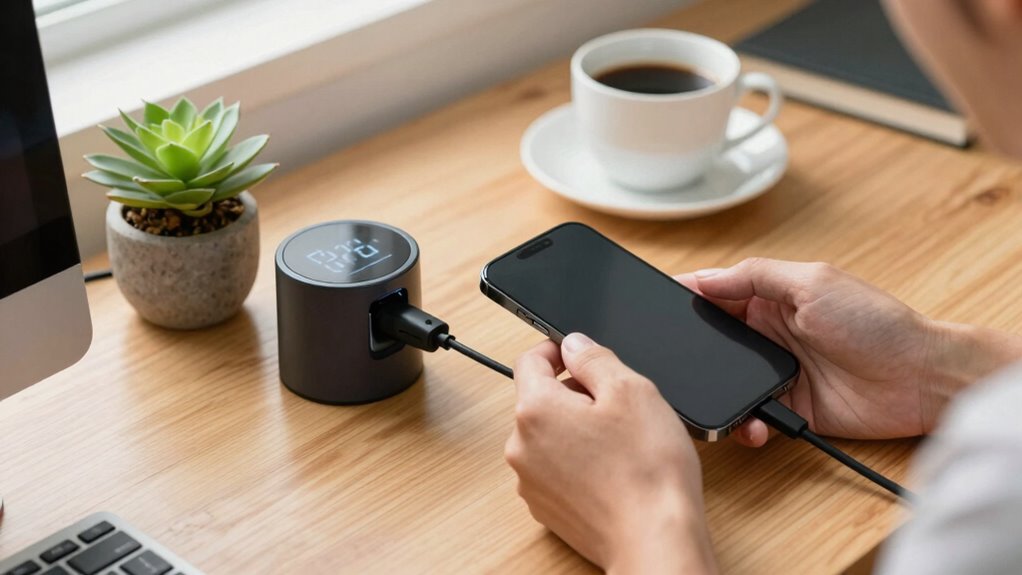
To improve your battery’s reliability, focus on good habits like limiting unnecessary background activities, dimming your screen, and disabling Wi-Fi or Bluetooth when not needed. Keep your device at moderate temperatures and avoid extreme heat or cold. Regularly calibrate your battery by fully draining and charging it, and unplug once fully charged. Staying aware of environmental effects and proper charging practices enhances longevity. Keep these habits in mind, and you’ll discover more ways to extend your battery life.

Get backup power and energy gear delivered free with Prime
- Fast, free delivery on millions of items
- Prime Video, Amazon Music and more included
- Member-only deals all year
Key Takeaways
- Practice regular battery calibration by fully draining and recharging to maintain accurate capacity readings.
- Keep devices at moderate temperatures and avoid exposure to extreme heat or cold.
- Limit background activities like app refreshes and location services to reduce unnecessary power drain.
- Unplug devices promptly once fully charged to prevent overcharging and battery degradation.
- Use reputable chargers and avoid prolonged periods of complete battery discharge for optimal health.

Are you tired of your batteries dying unexpectedly? It’s frustrating when your devices shut down at the worst moment, but often, the solution isn’t just about upgrading to a better battery or gear. Instead, adopting smarter habits can remarkably boost your battery reliability. The key lies in effective energy conservation and proper battery maintenance, which can extend your battery’s lifespan and performance.
First, focus on energy conservation. You might think that a more powerful or larger battery will solve your problems, but how you use it matters just as much. Limit unnecessary background activities on your devices, like app refreshes or location services, which drain power without your noticing. Dim your screen brightness and disable Wi-Fi or Bluetooth when not in use. These small adjustments reduce energy consumption, ensuring your battery lasts longer throughout the day. When possible, plan your usage to avoid draining your battery completely, as deep discharges can harm certain battery types, especially lithium-ion. Instead, try to keep your device charged between 20% and 80%, which promotes overall battery health.
Equally important is good battery maintenance. Regularly inspecting your batteries and following best practices can prevent premature failures. Keep your batteries at ideal temperatures; extreme heat or cold accelerates deterioration. Avoid exposing your devices to direct sunlight or leaving them in freezing environments for extended periods. Also, don’t let your battery sit unused for long stretches without charging; a fully discharged battery can become unstable over time. Conversely, avoid overcharging—once your device reaches 100%, unplug it to prevent stress on the battery. Use official chargers or reputable third-party options designed for your device; cheap or incompatible chargers can cause damage and reduce battery life. Additionally, if your device allows, calibrate your battery periodically by letting it drain completely and then charging it uninterrupted to 100%, which helps your device’s battery indicator stay accurate. Implementing battery management techniques from reliable sources can further enhance your device’s longevity. Understanding battery chemistry principles can also guide you in making better decisions about charging habits and environmental conditions that affect your battery’s health.
Being aware of temperature effects on batteries can also help you prevent unnecessary wear and tear, especially during storage or heavy usage periods. Moreover, staying informed about the latest battery technology developments can lead to smarter choices when upgrading or maintaining your devices.
As an affiliate, we earn on qualifying purchases.
Frequently Asked Questions
Can Software Updates Improve Battery Reliability?
Yes, software updates can improve battery reliability by optimizing software compatibility and reducing battery drain. When you install updates, you help extend your device’s battery lifespan because developers often fix bugs that cause unnecessary power consumption. Keeping your software current guarantees your device runs efficiently, preventing battery issues caused by outdated software. So, regularly updating your device is a smart habit that supports better battery performance over time.
How Does Temperature Affect Battery Life?
Temperature greatly influences your battery life because of its effect on battery chemistry. High temperatures accelerate chemical reactions, causing faster wear and potential damage, while cold temperatures reduce performance and capacity. To protect your battery, practice good thermal management by avoiding extreme temperatures, especially during charging and storage. Keeping your device in a cool, dry place ensures better battery health and prolongs its lifespan over time.
Are There Specific Habits to Avoid for Better Battery Health?
To protect your battery health, avoid habits like deep battery cycling frequently, which strains the battery. Instead, keep your device’s power saving mode on when possible to reduce unnecessary charging cycles and minimize heat, which accelerates battery degradation. Also, avoid letting your battery drain completely or stay fully charged for long periods. These habits help maintain ideal battery capacity and lifespan over time.
How Often Should I Calibrate My Device’s Battery?
Think of your battery as a musical instrument that needs tuning. You should calibrate your device’s battery every 1-3 months, especially if you notice inconsistent charge levels or shortened usage. Regular battery calibration, aligned with your usage patterns, helps maintain accurate readings and prolongs battery health. By tuning your device periodically, you guarantee it performs harmoniously, avoiding surprises and extending its lifespan.
Does Charging Speed Impact Battery Longevity?
Charging speed can impact your battery’s longevity, especially if you frequently use fast charging. Rapid charging increases heat and stresses the battery, which can reduce its lifespan over time. To protect your battery, manage your power wisely by avoiding excessive fast-charging and limiting full charging cycles. Prioritize steady, moderate charging and use power management features to extend your device’s overall battery health and longevity.
Conclusion
By adopting better habits, you hold the power to extend your battery’s life and reliability—like tending a delicate garden. Remember, your daily choices are the seeds that determine whether your device thrives or withers away. So, nurture it with mindful charging, avoid extremes, and keep it cool. After all, isn’t it worth investing in habits that make your battery last longer, rather than just chasing the latest gear? Your device’s future depends on it.
Halloween Picks
halloween
As an affiliate, we earn on qualifying purchases.