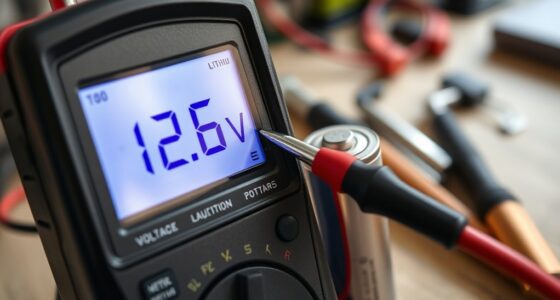
If your battery isn’t holding a charge, it could be due to age, too many charging cycles, or improper habits like letting it fully drain often. Start by checking your device’s battery health and cycle count, then consider replacing the battery if capacity has dropped markedly. To extend its life, avoid full discharges, don’t keep it plugged in nonstop, and practice partial charges. Continue exploring to discover more effective ways to diagnose and fix this issue.
Key Takeaways
- Check for rapid battery drain and high cycle count using device diagnostics or apps.
- Avoid full discharges and prevent overcharging to reduce battery wear.
- Replace the battery if capacity has dropped significantly or capacity is below recommended levels.
- Use optimized charging features and practice partial charges to extend battery lifespan.
- Regularly monitor battery health and be aware of signs like quick power loss or device shutdowns.
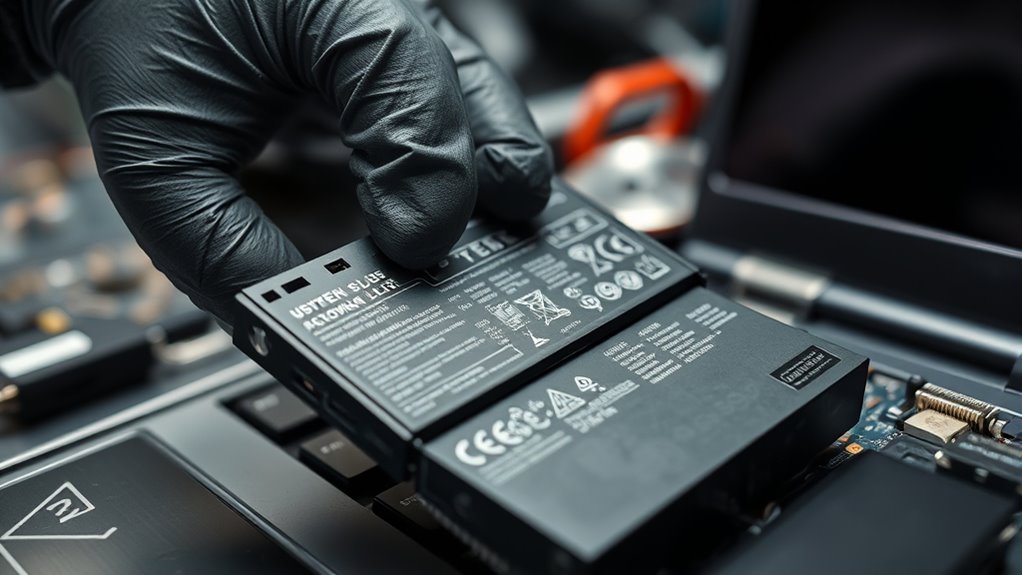
Have you noticed your battery dying faster than it used to? This common issue often points to a decline in your device’s battery lifespan. Batteries naturally degrade over time, and one of the main factors influencing this process is the number of charging cycles your device goes through. Every time you plug in and charge your device, it completes a charging cycle—roughly one full discharge followed by a full recharge. Over many cycles, the chemical composition inside the battery begins to break down, reducing its ability to hold a charge effectively. If your phone or laptop isn’t lasting as long as it used to, it’s likely because you’ve reached a point where the number of charging cycles has worn out the battery’s capacity.
Understanding how charging cycles impact your battery lifespan helps you better manage its health. Most batteries are rated for a certain number of cycles—say 300 to 500—before their capacity drops markedly. Once you hit that threshold, you’ll notice your device’s battery drains faster and takes longer to charge. This is a natural part of a battery’s life, but it’s also something you can influence. For example, frequent partial charges—like topping up your device before it’s fully drained—can extend the overall lifespan because they reduce the number of full charging cycles. Conversely, regularly discharging your battery to zero and then fully recharging it can accelerate wear, shortening its effective lifespan. Battery management techniques can also help preserve battery health over time.
Frequent partial charges extend battery life, while full discharges accelerate wear.
To diagnose whether your battery’s declining performance stems from aging or excessive charging cycles, observe how quickly your device loses power even when not in use. If you notice rapid battery drain, it could be time for a replacement or a maintenance check. Most devices offer built-in tools or apps that provide battery health information, showing you the number of charge cycles and overall capacity. If your device indicates a high number of cycles or a reduced capacity, replacing the battery might be your best option. Additionally, some batteries display a “battery health” status in settings, helping you make informed decisions without needing a technician.
Prolonging your battery’s lifespan involves smarter charging habits. Avoid letting your device completely drain before charging and don’t keep it plugged in constantly once it’s fully charged. Using optimized charging features—if available—can also help manage how your device uses power, minimizing unnecessary wear. If your battery has already reached the end of its life, replacing it is usually the most effective solution. Regularly monitoring your battery health, practicing mindful charging, and knowing the impact of charging cycles can help you extend its usefulness and prevent unexpected shutdowns.
Frequently Asked Questions
How Often Should I Replace My Car Battery?
You should replace your car battery every 3 to 5 years, depending on your battery maintenance routine and climate conditions. Regularly check for signs of wear, like slow engine starts or dim headlights, which indicate your battery’s lifespan is ending. Proper maintenance, such as cleaning terminals and ensuring secure connections, can extend its life. Don’t ignore these signs, and replace your battery promptly to avoid unexpected breakdowns.
Can a Damaged Alternator Cause Battery Drainage?
Yes, a damaged alternator can cause battery drain. When alternator wear occurs, it may fail to charge the battery properly, leading to persistent power loss. This results in your battery discharging faster than it should, especially when the vehicle is off. If you notice frequent battery issues, check the alternator’s condition. A faulty alternator hampers charging, causing your battery to drain prematurely and potentially leaving you stranded.
What Are Signs of a Faulty Battery Sensor?
You’ll notice a faulty battery sensor if your dashboard shows inconsistent or false warning lights, indicating sensor malfunction. Calibration issues may cause your vehicle to misread battery voltage, leading to unnecessary charging or warning signals. Additionally, you might experience difficulty starting your car or irregular battery gauge readings. These signs suggest the sensor isn’t functioning correctly, so it’s important to have it tested and replaced if needed to guarantee accurate battery monitoring.
Is It Safe to Jump-Start a Dead Battery?
Yes, it’s generally safe to jump-start a dead battery if you follow proper jump start safety procedures. Make sure you connect the cables correctly: positive to positive and negative to ground. Avoid sparks and verify the vehicles are off before connecting. Battery jump starting can be effective, but if you’re unsure or the battery is damaged, it’s best to seek professional help to prevent accidents or further damage.
How Does Extreme Temperature Affect Battery Life?
Extreme temperatures considerably influence your battery’s life by affecting its chemistry. High heat accelerates chemical reactions, leading to faster capacity loss and potential damage. Cold temperatures slow down chemical processes, reducing your battery’s ability to deliver power and starting your vehicle. Proper thermal management helps maintain ideal temperature ranges, preserving battery health. To extend your battery’s lifespan, avoid exposing it to extreme heat or cold whenever possible and guarantee good thermal regulation.
Conclusion
Your battery is like a loyal friend, quietly giving its best but sometimes running low. When it won’t hold a charge, it reminds you to nurture your devices—and yourself—with patience and care. Just as a lamp needs a steady power supply to shine brightly, your gadgets need proper maintenance to serve you well. By diagnosing and caring for your battery, you’re restoring its spark, ensuring it’s ready to light your way through every day’s journey.