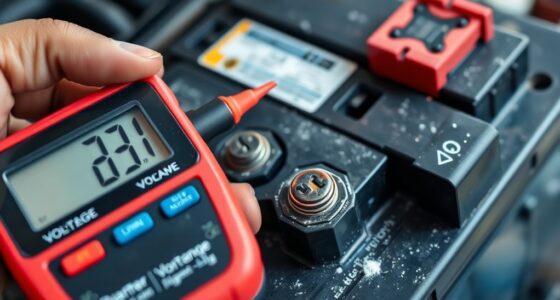
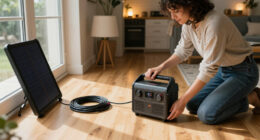
If your battery starts swelling, immediately disconnect it from power and avoid touching it directly. Move the device to a safe, well-ventilated area away from flammable materials. Do not puncture, crush, or try to open the battery. Properly dispose of it at a recycling center or through your local waste management—never throw it in the trash. Handling it with care can prevent accidents, and staying informed helps you know what precautions to take next.

Get backup power and energy gear delivered free — and shop member deals
- Fast, free delivery on millions of items
- Access to Prime Big Deal Days deals on October 6–7
- Prime Video, Amazon Music and more included
Key Takeaways
- Immediately disconnect the device from power and avoid handling the swollen battery with bare hands.
- Carefully move the device to a safe, well-ventilated area away from flammable materials.
- Do not puncture, crush, or attempt to repair the swollen battery; seek professional disposal.
- Store the damaged battery in a non-conductive, fireproof container until proper disposal.
- Contact local waste management or recycling centers to safely dispose of the swollen battery.

If you notice your battery swelling, it’s crucial to act quickly to prevent potential hazards. Swollen batteries are a sign that internal damage or chemical reactions are occurring, which can lead to leaks, fires, or even explosions. Your immediate priority should be safety: avoid handling the battery with bare hands, as chemicals may be harmful. Carefully disconnect the device from power sources if it’s still plugged in, but don’t attempt to puncture or force the swollen battery open. Instead, move the device and battery to a safe, well-ventilated area away from flammable materials. Recognize that a swollen battery is a warning sign that it needs professional attention and proper disposal.
When dealing with a swollen battery, your next step involves proper battery disposal. Do not throw it in the trash or recycling bin because damaged batteries can leak hazardous chemicals or ignite. Contact your local waste management authorities or visit a designated electronic waste recycling center to find out how to dispose of the battery safely. Many retailers and electronic stores offer battery recycling programs, so check if they accept swollen batteries. Handling battery disposal with care minimizes environmental impact and reduces the risk of injury. Never attempt to puncture, crush, or disassemble the swollen battery yourself; this can cause dangerous chemical exposure or fires. Instead, store the damaged battery in a non-conductive container, like a plastic bag or a fireproof container, until you can deliver it to a disposal facility.
In emergency response situations, your priority is to contain any hazards and alert the appropriate authorities if necessary. If the battery begins to leak or shows signs of igniting, evacuate the area immediately and contact emergency services. Keep a fire extinguisher suitable for electrical fires nearby—never use water on an electrical fire, as it can worsen the situation. If the battery catches fire, use a Class D fire extinguisher designed for metal fires or an ABC extinguisher if unavailable, and always follow safety guidelines. Remember, swift action and proper procedures can prevent a small incident from becoming a major emergency. Once the immediate danger is over, ensure the area is well-ventilated and that you’ve disposed of the damaged battery properly. Taking these steps helps protect you, others around you, and the environment from the risks associated with swollen batteries. Acting promptly and responsibly is key to maintaining safety and ensuring proper battery replacement. Additionally, understanding battery chemistry can help prevent future incidents by recognizing warning signs early.
fireproof lithium battery storage container
As an affiliate, we earn on qualifying purchases.
As an affiliate, we earn on qualifying purchases.
Frequently Asked Questions
How Can I Prevent My Battery From Swelling in the First Place?
To prevent your battery from swelling, focus on proper battery maintenance and good charging habits. Avoid overcharging or letting the battery drain completely, as both can cause damage. Use the correct charger and follow manufacturer guidelines. Keep the device in a cool, dry place to prevent heat buildup. Regularly check for signs of wear or damage, and replace the battery promptly if you notice any issues.
Are Swollen Batteries Repairable or Only Replaceable?
Swollen batteries aren’t repairable, and you should replace them immediately for safety. Battery refurbishment isn’t possible when swelling occurs because the internal damage is irreversible. Attempting battery repair could be dangerous, so don’t try to fix it yourself. Instead, dispose of the swollen battery properly and get a new one. Always prioritize safety by following manufacturer guidelines and consulting professionals for proper disposal and replacement.
What Are the Environmental Disposal Requirements for a Swollen Battery?
You should handle a swollen battery as hazardous waste and avoid disposing of it in regular trash. Take it to a certified battery recycling facility or designated hazardous waste collection site. Proper disposal prevents environmental damage and safety hazards. Never puncture or incinerate the battery, as it can release dangerous chemicals. Following local regulations guarantees safe and eco-friendly battery recycling, protecting both you and the environment.
Can I Continue to Use a Device With a Swollen Battery Temporarily?
You shouldn’t keep using a device with a swollen battery, as it’s like juggling a bomb—sure, you might get lucky, but the risks to battery safety and device performance are high. Continuing to use it can cause leaks, overheating, or even fires. Instead, power it down, remove the battery if possible, and seek professional help immediately. Protect yourself and your device by acting swiftly.
How Do I Identify a Swollen Battery Before It Visibly Bulges?
You can identify a swollen battery early through regular battery inspections. Look for signs like overheating, strange odors, or reduced device performance. Feel for slight bulges or uneven surfaces, even if the battery isn’t visibly swollen yet. Conducting routine checks helps with early detection, so you can address issues before the battery visibly bulges. Promptly replacing or servicing your battery guarantees safety and prevents potential damage or hazards.
Conclusion
If your battery swells, don’t ignore it—it’s like a ticking time bomb waiting to explode. Safely handle the situation by turning off your device, avoiding puncturing or puncturing the swollen battery, and replacing it immediately. Remember, your safety is more important than saving a few bucks; a swollen battery could cause a fire or serious injury. Act quickly, follow safety tips, and trust professional help to keep yourself and your surroundings safe from this silent peril.
Halloween Picks
halloween
As an affiliate, we earn on qualifying purchases.