
Battery issues often seem random because internal software may lose sync with your actual battery capacity, causing false charge readings. External factors like background apps, updates, and power management settings can drain power unexpectedly. Also, as batteries naturally degrade over time, their performance worsens without obvious signs. Tracking your usage and calibration helps reveal these hidden causes and makes troubleshooting easier. Keep exploring to discover how you can better understand and fix these unpredictable battery problems.

Get backup power and energy gear delivered free with Prime
- Fast, free delivery on millions of items
- Prime Video, Amazon Music and more included
- Member-only deals all year
Key Takeaways
- Hidden causes like background apps and unchecked processes cause unpredictable battery drain.
- Software and firmware updates can interfere with power management, leading to inconsistent behavior.
- Battery calibration issues cause false charge readings, making problems seem random.
- Battery degradation over time reduces capacity unpredictably, affecting performance variably.
- Inconsistent power management settings and external factors cause irregular battery performance.
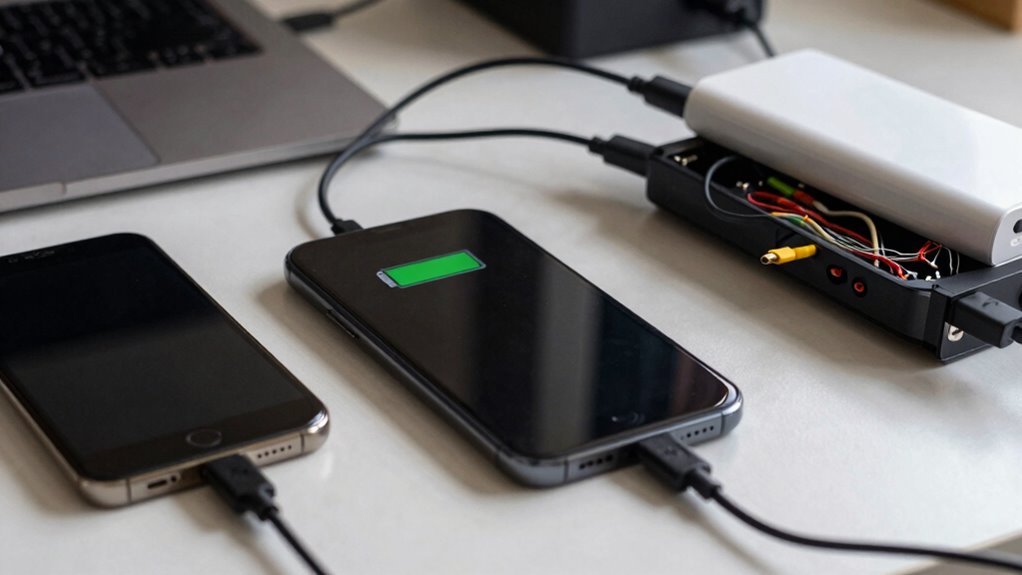
Battery issues often seem random because their causes aren’t always obvious. One moment, your device might be working fine, and the next, it’s draining faster than usual or refusing to turn on. This unpredictability can be frustrating, but it often comes down to underlying issues that aren’t immediately visible. To get a handle on what’s really happening, you need to pay attention to things like battery calibration and power management. These factors play a crucial role in how your battery performs and can make the difference between a smooth experience and constant surprises. Understanding battery health is essential for diagnosing and preventing these unpredictable issues. Battery calibration is a key step in understanding your device’s battery health. Over time, the battery’s internal software can lose sync with its actual capacity, leading to inaccurate readings of charge levels. You might see your battery percentage drop suddenly or display a full charge when it’s already nearly drained. Calibrating the battery involves fully charging it to 100%, then discharging it completely before charging it back to full capacity. This process helps your device’s software better gauge the true state of your battery, reducing the feeling of randomness when the battery behaves unpredictably. Once calibrated, you’ll notice more consistent readings, which can help you plan your usage better and identify genuine problems versus false alarms. Additionally, battery calibration tools can assist in maintaining accurate readings and improving overall performance. Power management is another key factor that influences battery behavior. Modern devices have sophisticated power management systems designed to optimize battery life. These systems control how much power your apps and hardware consume, especially when you’re not actively using your device. If power management settings aren’t optimized or if background apps are running unchecked, your battery can drain quickly without warning. Managing these settings—like disabling unnecessary background processes, lowering screen brightness, or enabling battery saver modes—can significantly extend your device’s uptime and reduce the feeling of random battery drains. Sometimes, updates to your operating system or apps can interfere with power management, causing erratic behavior. Staying on top of these updates and adjusting your settings accordingly can help keep your battery performance predictable. Additionally, being aware of battery degradation can help you understand why your device’s battery might not last as long as it used to, even with proper calibration and management. In many cases, tracking your battery’s behavior over time reveals patterns that help pinpoint the root cause of issues. Keeping an eye on usage stats, battery health reports, and calibration status can provide insights that aren’t obvious at first glance. Once you understand how your device manages power and how your battery calibration is holding up, you can address the specific issues causing the randomness. Whether it’s recalibrating the battery or tweaking power management settings, taking these steps gives you control over what often feels like a mysterious problem. Ultimately, understanding these factors helps you prevent sudden battery failures and keeps your device running smoothly.
Products Worth Considering

Jackery Explorer 300 Portable Power Station, 292Wh

Jackery Explorer 2000 v2 Portable Power Station with Two 200W Solar Panels

Samsung 27-inch Odyssey OLED G6 QD-OLED QHD Gaming Monitor
As an affiliate, we earn on qualifying purchases.
Frequently Asked Questions
Can Background Apps Affect My Battery Life Unpredictably?
Yes, background app interference can profoundly affect your battery life unpredictably. When apps run in the background, they consume power without you realizing, especially if your app usage patterns include frequent switching or multitasking. This hidden activity drains your battery faster, making it seem like issues are random. Tracking which apps run in the background helps you identify power hogs, allowing you to manage them better and extend your device’s battery life.
How Does Temperature Impact Battery Performance?
Temperature markedly influences your battery’s performance. Extreme heat or cold causes thermal cycling, which stresses the battery’s chemical structure, leading to faster degradation. When temperatures cross certain thresholds, your battery’s capacity drops, and charging becomes less efficient. Keeping your device within ideal temperature ranges helps maintain performance and longevity. Avoid exposing your device to prolonged heat or cold, especially during charging, to prevent unnecessary damage and guarantee reliable battery life.
Do Software Updates Influence Battery Drain Patterns?
Software updates can influence your battery drain patterns by altering how your device manages power. They often include improvements to power management, which can either optimize battery life or cause unexpected drain if calibration isn’t accurate. Running a battery calibration after updates helps reset your device’s understanding of battery capacity, ensuring power management features work efficiently. This way, you can better track and manage battery performance, reducing surprises and extending usage.
Is It Normal for Batteries to Degrade Suddenly?
Yes, it’s normal for batteries to degrade suddenly, especially if your charging habits aren’t ideal. Battery lifespan depends on how often and how you charge your device—frequent full cycles or high-voltage charges can accelerate deterioration. Sudden drops in battery performance often result from these habits or external factors like extreme temperatures. Tracking your usage and adjusting your charging routine can help extend your battery’s life and prevent unexpected issues.
How Can I Tell if My Battery Is Faulty?
You can tell if your battery is faulty by observing inconsistent charging and rapid power loss. Don’t rely solely on battery calibration, as it can sometimes mask real issues. Instead, review your charging habits—avoid overcharging or letting it drain completely. If your battery’s performance remains unpredictable despite proper calibration and habits, it’s likely faulty. Consider testing with a diagnostic tool or replacing it to guarantee your device’s reliability.
Conclusion
Tracking your battery’s behavior reveals that what feels random often has patterns. By monitoring usage and charge cycles, you can identify issues before they become major problems. Did you know that batteries lose about 20% of their capacity after 300-500 full charge cycles? This statistic shows why consistent tracking helps you understand your device better and extend its lifespan. Don’t wait for unexplained problems—stay proactive and keep your battery in top shape.