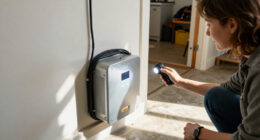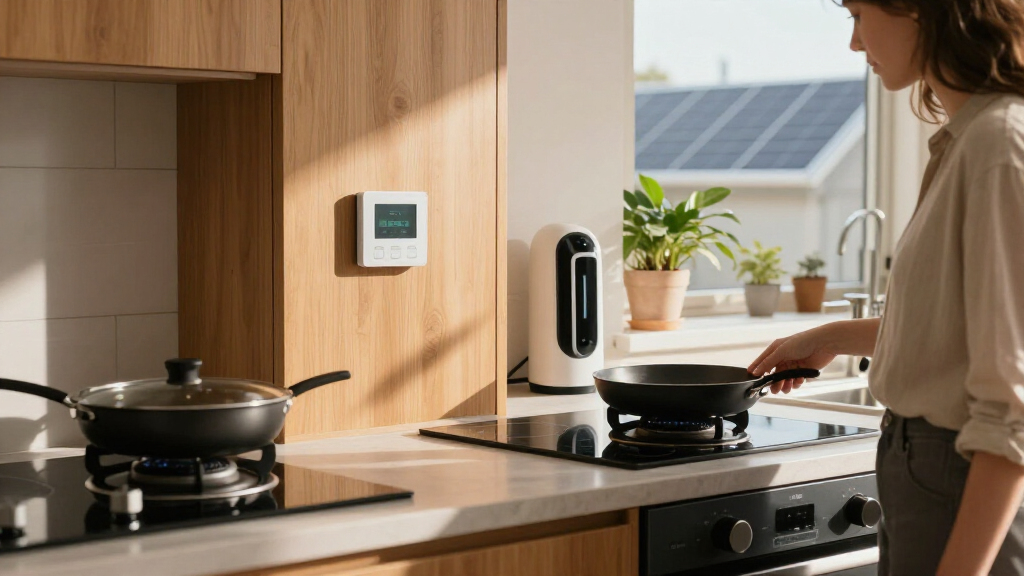

The best home electrification products depend on whether you want to measure whole-home use, track one appliance, or automate outlets. My best overall pick is the Emporia Vue 3, which monitors household circuits and supports automation; the Tapo P316M is a standout for Matter-enabled outlet control with energy monitoring, while the Refoss monitor suits people who want local data and Home Assistant support. The main tradeoff is breadth versus simplicity: a panel monitor can show more of the home but takes more effort to install, while plug-in devices are easier to set up but cover only connected loads. Smart-home compatibility, network requirements, and the amount of detail you need also shape the choice. Read on for the full comparison and guidance on matching a product to your home.

Get backup power and energy gear delivered free with Prime
- Fast, free delivery on millions of items
- Prime Video, Amazon Music and more included
- Member-only deals all year
Key Takeaways
- Emporia Vue 3 leads for whole-home visibility because circuit-level monitoring can reveal patterns that outlet meters and smart plugs cannot.
- Refoss is the better fit for local-control enthusiasts: its open API and no-cloud approach favor Home Assistant setups, but may demand more configuration.
- Tapo P316M combines outlet control with energy monitoring, making it more versatile for a group of devices than a basic single-outlet smart plug.
- Plug-in monitors answer narrower questions: the amazon.com/dp/B09BQNYMMM?tag=energylast.com-20&ascsubtag=dc-1192063″ target=”_blank” rel=”nofollow sponsored noopener”>Watt Meter measures an individual appliance directly, while smart plugs add scheduling and voice-assistant control.
- Compatibility and coverage separate the plug options: Matter support favors flexible ecosystems, while the GHome, Govee, and Amazon options focus on simpler outlet control with different network and platform requirements.
| Linkind Matter Smart Plug, Compatible with Apple Home, Alexa, Siri, Google Home |  | Best for Cross-Platform Smart Control | Voltage: 120 volts | Amperage: 15 A | Power capacity: 1800W | VIEW LATEST PRICE | See Our Full Breakdown |
| Refoss Smart Home Energy Monitor with Open API, Home Assistant, No Cloud |  | Best for Local Energy Automation | Model: EM16P | Main current sensors: 2 × 200A | Branch current sensors: 16 × 1–60A | VIEW LATEST PRICE | See Our Full Breakdown |
| GHome Smart Plug Mini, WiFi Smart Outlet Plug Works with Alexa and Google Home, Timer Outlet with APP Control, 2.4GHz Network Only, No Hub Required, ETL FCC Listed (4 Pack), White | 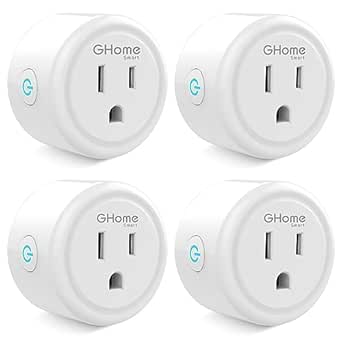 | Best Value Multi-Pack for Basic Scheduling | Pack size: 4 plugs | Voltage: 120 volts | Amperage: 10 A | VIEW LATEST PRICE | See Our Full Breakdown |
| Govee Smart Plug, WiFi Outlet Compatible with Alexa & Google Assistant, 4 pcs |  | Best for Group Control | Pack size: 4 plugs | Voltage: 120 volts | Amperage: 11 A | VIEW LATEST PRICE | See Our Full Breakdown |
| Emporia Vue 3 Home Energy Monitor – Smart Home Automation Module and Real-Time Electricity Usage Monitor |  | Best for Whole-Home Circuit Monitoring | Model: EMV3A-2P-16 | Monitoring coverage: Whole-home monitor with 16 circuit sensors | Solar support: Supports solar and net metering | VIEW LATEST PRICE | See Our Full Breakdown |
| Watt Meter Power Meter Plug Home Electricity Usage Monitor with 7 Modes Display |  | Best for Appliance-Level Energy Checks | Monitoring parameters: Power, energy, voltage, current, frequency, power factor, cost, minimum/maximum power, cumulative time | Display size: 2.36 x 1.85 inches | Backlight options: 10 minutes, 1 hour, 4 hours, 8 hours, or always on | VIEW LATEST PRICE | See Our Full Breakdown |
| Amazon Smart Plug (2-Pack) |  | Best for Simple Alexa Scheduling | Pack size: 2 smart plugs | Dimensions: 3.2 x 1.5 x 2.2 inches (80 x 38 x 57 mm) | Weight: 3.1 oz (87 g) | VIEW LATEST PRICE | See Our Full Breakdown |
| Tapo Smart Wi-Fi Power Strip, Matter, P316M, Energy Monitoring |  | Best Multi-Device Electrification Hub | Smart AC outlets: 6 | USB ports: 3 | Voltage: 120 V | VIEW LATEST PRICE | See Our Full Breakdown |
| home electrification product | Voltage | Plug type | Dimensions |
|---|---|---|---|
| Linkind Matter Smart Plug | 120 volts | Type B, 3-prong | — |
| Refoss Smart Home Energy Monit | — | — | — |
| GHome Smart Plug Mini | 120 volts | Type B | 2 × 2 × 1 inches |
| Govee Smart Plug | 120 volts | Type B | — |
| Emporia Vue 3 Home Energy Moni | — | — | 10 × 5 × 5 inches |
| Watt Meter Power Meter Plug Ho | — | — | — |
| Amazon Smart Plug | — | — | 3.2 x 1.5 x 2.2 inches (80 x 38 x 57 mm) |
| Tapo Smart Wi-Fi Power Strip | 120 V | Type B, three-pin North American | 16.2 x 4.8 x 1.9 inches |
More Details on Our Top Picks
Linkind Matter Smart Plug, Compatible with Apple Home, Alexa, Siri, Google Home
The Linkind Matter Smart Plug is my pick for households that want one plug to work across major smart-home platforms without committing to a single ecosystem. Matter support gives it broader compatibility than the GHome Smart Plug Mini and Govee Smart Plug, which rely on their listed Alexa and Google integrations. Remote control and scheduling make it useful for automating lamps and other compatible devices, while its 15A, 1800W capacity exceeds the GHome Mini’s 10A rating. The tradeoff is that some platforms require a Matter-certified hub for full functionality, and setup still depends on 2.4GHz Wi-Fi. It also lacks stated energy monitoring, so buyers seeking circuit-level insight should look to the Emporia Vue 3 or Refoss EM16P instead.
Pros:- Matter support spans major smart-home platforms
- 15A and 1800W capacity for compatible connected devices
- App and voice control include remote operation and scheduling
- Compact design with overload protection
Cons:- Some platforms require a Matter-certified hub for full functionality
- Works only with 2.4GHz Wi-Fi
- No energy-monitoring feature is specified
Best for: Households using a mix of Apple Home, Alexa, Google Home, or Siri that want a higher-capacity plug with scheduling.
Not ideal for: Buyers who need energy-use tracking, rely on 5GHz-only Wi-Fi, or want full platform features without a Matter-certified hub.
- Voltage:120 volts
- Amperage:15 A
- Power capacity:1800W
- Plug type:Type B, 3-prong
- Wi-Fi:2.4GHz
- Protocol:Matter
- Material:Plastic
Our verdict“Choose the Linkind if cross-platform control and 15A capacity matter more than energy tracking or hub-free setup.”
Refoss Smart Home Energy Monitor with Open API, Home Assistant, No Cloud
The Refoss EM16P suits technically confident homeowners who want detailed electrical data while keeping it local. Its two 200A main sensors and 16 branch sensors can show whole-home and circuit-level use, making it a more hands-on monitoring choice than the Emporia Vue 3, which is app-centered and includes 16 circuit sensors. Refoss also offers an Open API, MQTT, and web interface for Home Assistant setups and custom automation. That flexibility can support solar management and peak-use strategies, but it asks more of the owner than a smart plug such as the Linkind, which controls individual devices with simpler scheduling. Panel installation may call for electrical and technical know-how, and the no-cloud approach means there is no built-in cloud access for remote monitoring.
Pros:- Local data control without reliance on cloud services
- Open API, MQTT, and web interface support custom integrations
- Two 200A main sensors and 16 branch sensors provide circuit-level coverage
- Specified accuracy of ±1% at 200A and ±2% at low current
Cons:- Panel installation may require technical knowledge
- No built-in cloud connectivity for remote access
- Branch sensors are limited to the stated 1–60A range
Best for: Homeowners with solar or complex loads who already use Home Assistant and want local circuit data for custom automation.
Not ideal for: Buyers who want a simple app-only setup, cloud-based remote access, or monitoring without installing sensors in an electrical panel.
- Model:EM16P
- Main current sensors:2 × 200A
- Branch current sensors:16 × 1–60A
- Connectivity:Open API, MQTT, Web UI
- Accuracy:±1% at 200A; ±2% at low current
- Installation:Clamp-on; fits most home panels
- Certifications:ETL, UL 61010
- Warranty:2 years
Our verdict“Pick the Refoss EM16P if local control and Home Assistant flexibility are priorities and you are prepared for panel-level installation.”
GHome Smart Plug Mini, WiFi Smart Outlet Plug Works with Alexa and Google Home, Timer Outlet with APP Control, 2.4GHz Network Only, No Hub Required, ETL FCC Listed (4 Pack), White
The GHome Smart Plug Mini makes sense when the goal is to add scheduling to several everyday devices without adding a hub. The four-pack can cover multiple lamps or small appliances at once, while its compact 2-by-2-by-1-inch form is suited to crowded outlets. Compared with the Linkind Matter Smart Plug, it has narrower platform support and a lower 10A rating; in return, it offers straightforward Alexa and Google control without a hub. App setup comes first, so voice control is not the only setup step. Its 2.4GHz-only connection also rules it out for networks without that band. This is a basic device-control pick, not an energy-management tool: buyers who want whole-home readings should compare it with the Emporia Vue 3.
Pros:- Four plugs provide multiple control points in one set
- Compact 2-by-2-by-1-inch form fits tight outlet spaces
- Scheduling and auto-off timers support routine automation
- ETL and FCC listed
Cons:- 10A rating is lower than the Linkind Smart Plug’s 15A rating
- Supports only 2.4GHz Wi-Fi and requires initial app setup
- No energy-monitoring feature is specified
Best for: Buyers who want to schedule several lamps or other compatible devices using Alexa or Google Home and a 2.4GHz network.
Not ideal for: People needing Matter or Apple Home support, energy monitoring, higher-capacity plug control, or compatibility with 5GHz-only Wi-Fi.
- Pack size:4 plugs
- Voltage:120 volts
- Amperage:10 A
- Plug type:Type B
- Wi-Fi:2.4GHz only
- Dimensions:2 × 2 × 1 inches
- Material:Polycarbonate
- Certifications:ETL, FCC
Our verdict“Choose the GHome four-pack for basic, hub-free Alexa or Google scheduling across several compatible devices.”
Govee Smart Plug, WiFi Outlet Compatible with Alexa & Google Assistant, 4 pcs
Govee’s four-plug set is best suited to homes where several compatible devices should follow the same schedule or respond together. Group control and scheduling give it an automation angle the GHome Smart Plug Mini does not explicitly list, while Wi-Fi plus Bluetooth provides an additional connection method. Its listed voice compatibility is narrower than the Linkind Matter Smart Plug, which supports Apple Home and Siri alongside Alexa and Google. Govee is also limited to 2.4GHz Wi-Fi and Alexa or Google Assistant, so it is not the flexible choice for mixed-platform households. The supplied data gives an 11A rating, but no energy-monitoring capability is listed; for usage data across a panel, the Emporia Vue 3 is a more relevant fit.
Pros:- Four plugs support control of multiple devices
- Group control can coordinate compatible plugs
- Wi-Fi and Bluetooth connectivity are both listed
- ETL certification
Cons:- Works with Alexa and Google Assistant, with no Apple Home or Matter support listed
- Limited to 2.4GHz Wi-Fi
- No energy-monitoring function is specified
Best for: Alexa or Google households that want to coordinate schedules for several compatible appliances or lights.
Not ideal for: Apple Home users, households with 5GHz-only Wi-Fi, or buyers seeking Matter compatibility or electricity-use tracking.
- Pack size:4 plugs
- Voltage:120 volts
- Amperage:11 A
- Plug type:Type B
- Connectivity:Wi-Fi and Bluetooth
- Wi-Fi band:2.4GHz
- Material:Plastic
- Certification:ETL
Our verdict“Pick Govee when group scheduling across several Alexa or Google devices matters more than broad platform support.”
Emporia Vue 3 Home Energy Monitor – Smart Home Automation Module and Real-Time Electricity Usage Monitor
The Emporia Vue 3 is the stronger fit for homeowners who want a broad view of household electricity use rather than control of one outlet at a time. Its 16 included circuit sensors support detailed load tracking, while solar and net-metering support can help owners understand how generation and household demand relate. That makes it a more app-oriented alternative to the Refoss EM16P, whose local Open API, MQTT, and Home Assistant integration better suit buyers who prefer cloud-free, custom setups. Emporia’s UL certification adds a clear safety credential, but installation still means working with an electrical panel and may be difficult for some owners. It also needs 2.4GHz Wi-Fi and internet access, and three-phase systems require an additional sensor.
Pros:- Sixteen included circuit sensors support detailed load tracking
- Real-time usage data and automation support
- Solar and net-metering compatibility
- UL-certified
Cons:- Electrical-panel installation may be complex for some homeowners
- Requires 2.4GHz Wi-Fi and an internet connection
- Three-phase systems need an additional sensor
Best for: Homeowners who want app-based, circuit-level electricity tracking and have solar or net metering to monitor.
Not ideal for: Buyers who want plug-and-play monitoring, local-only data control, or a three-phase setup without purchasing an additional sensor.
- Model:EMV3A-2P-16
- Monitoring coverage:Whole-home monitor with 16 circuit sensors
- Solar support:Supports solar and net metering
- Connectivity:Wi-Fi; requires internet connection
- Wi-Fi band:2.4GHz
- Certification:CE, UL
- Dimensions:10 × 5 × 5 inches
- Weight:4.99 pounds
Our verdict“Choose the Emporia Vue 3 for app-based whole-home and circuit monitoring, especially when solar or net metering is part of the setup.”
Watt Meter Power Meter Plug Home Electricity Usage Monitor with 7 Modes Display
This plug-in meter is the most direct choice in this group for finding out how much electricity an individual appliance uses. It reports watts, kilowatt-hours, voltage, current, and power factor, plus estimated cost and minimum or maximum power, giving more diagnostic detail than the Amazon Smart Plug, which focuses on remote switching and schedules. Its large LCD and stored last-use data are useful when you want to compare an appliance’s consumption without relying on an app. The tradeoff is that this is a monitor, not a controller: it cannot switch devices remotely or automate them. The overload limit is adjustable up to 3680W, but you need to set it appropriately for the appliance. For whole-home insights, the Emporia Vue 3 measures at the electrical panel instead.
Pros:- Shows a broad set of electrical readings, including energy use and power factor
- Large LCD with adjustable backlight for easier reading in different lighting
- Memory retains the last usage data for later comparison
- Adjustable overload threshold with an on-screen warning
Cons:- Does not control appliances or provide smart-home automation
- Overload threshold and backlight settings require manual setup
- Default overload limit may not suit every appliance
Best for: Households checking the energy use of individual plug-in appliances, such as heaters or dehumidifiers, before deciding what to replace or run less often.
Not ideal for: Buyers who want app-based scheduling, remote switching, or a whole-home view; this meter only monitors one plugged-in load at a time.
- Monitoring parameters:Power, energy, voltage, current, frequency, power factor, cost, minimum/maximum power, cumulative time
- Display size:2.36 x 1.85 inches
- Backlight options:10 minutes, 1 hour, 4 hours, 8 hours, or always on
- Overload protection:Default 3680W; adjustable from 0 to 3680W
- Overload warning:Displays “OVERLOAD” when the threshold is exceeded
- Memory function:Records last usage data
Our verdict“Choose this meter to inspect the consumption of individual appliances; choose a smart plug or panel monitor if you need control or broader coverage.”
Amazon Smart Plug (2-Pack)
For Alexa households that want straightforward control of ordinary indoor devices, this two-pack is simpler than the Tapo P316M: each plug works without a hub and can add voice commands or schedules to a single outlet. Its compact shape is designed to leave a neighboring outlet free, making it a practical fit where a bulky adapter would block access. Compared with the Tapo strip, though, it offers no listed energy monitoring and does not consolidate several devices in one location. Compatibility is also narrower: it requires 2.4 GHz Wi-Fi and is intended for Alexa rather than Siri, Google Assistant, or SmartThings. I’d choose it for easy on/off routines, not for measuring consumption or building a mixed-platform smart home.
Pros:- Works with Alexa without a separate hub
- Compact design helps keep the neighboring outlet accessible
- Supports voice commands and schedules
- Can reconnect automatically after network outages
Cons:- Works only with 2.4 GHz Wi-Fi
- Alexa-only compatibility limits mixed-platform homes
- Indoor use only and no energy monitoring is specified
Best for: Alexa users who want to schedule or voice-control two indoor plug-in devices without adding a hub.
Not ideal for: Households using Siri or Google Assistant, or buyers seeking energy readings, outdoor use, or control of several devices from one power strip.
- Pack size:2 smart plugs
- Dimensions:3.2 x 1.5 x 2.2 inches (80 x 38 x 57 mm)
- Weight:3.1 oz (87 g)
- Wi-Fi:2.4 GHz only; 802.11 b/g/n
- Use:Indoor
- Smart-home control:Alexa voice control, routines, and scheduling
Our verdict“Pick this two-pack for uncomplicated Alexa control of separate indoor devices, but choose the Tapo P316M for broader ecosystem support and energy monitoring.”
Tapo Smart Wi-Fi Power Strip, Matter, P316M, Energy Monitoring
The Tapo P316M is the strongest fit here when electrification means managing several plug-in devices together. It combines six smart AC outlets and three USB ports with energy monitoring, scheduling, and Matter support, so it can serve more devices than the two individual plugs in the Amazon Smart Plug pack. Its compatibility with Alexa, Siri, Google Assistant, and SmartThings also makes it a more flexible choice for households with different platforms. Local operation is a useful distinction from products that depend on an internet connection for every command, while remote features still require Wi-Fi. The tradeoff is its long, heavier strip format and North American plug, which suit a desk or entertainment area better than portable use. For a single appliance check, the Watt Meter offers more direct readings in a smaller form.
Pros:- Combines six smart AC outlets with three USB ports
- Energy monitoring and schedules help identify and manage usage
- Matter support and control across major smart-home platforms
- Local operation supports control during internet outages
Cons:- Remote features require a Wi-Fi connection
- North American Type B plug limits regional compatibility
- Long, 1.4-pound design is less suited to portable use
Best for: Households or home offices that need to control and monitor several plug-in devices, especially where residents use different smart-home platforms.
Not ideal for: Buyers needing a compact travel option, a plug compatible outside North America, or a simple meter for one appliance.
- Smart AC outlets:6
- USB ports:3
- Voltage:120 V
- Maximum current:15 A
- Plug type:Type B, three-pin North American
- Dimensions:16.2 x 4.8 x 1.9 inches
- Weight:1.4 lb
- Operating temperature:32°F–104°F
- Humidity range:10–90%
Our verdict“Choose the Tapo P316M to centralize multi-device control and energy monitoring; choose a compact smart plug for a single outlet or the Watt Meter for appliance-level readings.”

How We Picked
I compared these products by the job they can do for home electrification: whole-home measurement, appliance-level energy tracking, and smart control of outlets. I weighed monitoring scope, data access, supported smart-home platforms, setup demands, and whether a product adds automation alongside measurement. Installation matters as much as features: a panel-mounted monitor may offer a broader view, but it is a more involved choice than a plug-in meter or outlet.
The ranking favors useful coverage and flexibility without treating advanced features as automatically better. Emporia Vue 3 ranks first for its combination of circuit monitoring and automation potential; Refoss follows for buyers who value local data and an open API. Tapo earns a strong position among outlet products for pairing Matter with energy monitoring, while simpler smart plugs rank lower because they focus mainly on switching. The Watt Meter serves a distinct measurement need, but it does not replace connected automation.
| home electrification product | Plug type |
|---|---|
| Linkind Matter Smart Plug | Type B, 3-prong |
| Refoss Smart Home Energy Monit | — |
| GHome Smart Plug Mini | Type B |
| Govee Smart Plug | Type B |
| Emporia Vue 3 Home Energy Moni | — |
| Watt Meter Power Meter Plug Ho | — |
| Amazon Smart Plug | — |
| Tapo Smart Wi-Fi Power Strip | Type B, three-pin North American |
Factors to Consider When Choosing Best Home Electrification Products
Before choosing, decide what you want to learn or control. Measurement coverage, installation, and ecosystem fit can matter more than the number of features listed on a package.
Choose the Measurement Scope You Actually Need
A whole-home monitor and an outlet meter answer different questions. Whole-home or circuit-level monitoring can help identify where household demand is concentrated, while a plug-in meter isolates one appliance. Many buyers start with an appliance-level question, such as whether a dehumidifier or spare refrigerator uses substantial power, and do not need panel monitoring yet. Others want to understand several circuits at once, which a single smart plug cannot do. Avoid buying a broad system if you only need a reading from one device. If you expect to expand your analysis, check how the product handles multiple circuits and historical data before committing.
Check Installation Requirements Before Ordering
Plug-in products generally avoid electrical-panel work, while a panel monitor may involve opening a breaker panel and attaching sensors around conductors. That difference affects both setup time and whether you should hire a qualified electrician. Confirm that your panel layout and available space suit the monitor, and follow the manufacturer’s installation guidance. Do not assume a monitor is suitable just because it is marketed for residential use. A simpler outlet device may be the safer practical choice for renters or anyone who cannot modify fixed wiring. Factor installation effort into the decision, not just the monitoring features.
Match the Product to Your Smart-Home Setup
Compatibility can determine whether a smart outlet feels convenient or becomes another app to manage. Check the exact platform support you rely on, including whether you need Matter, Alexa, Google Home, Apple Home, or Home Assistant integration. Matter support can make an outlet easier to use across supported ecosystems, but it does not mean every feature appears in every platform. Some products also have network limits, such as requiring a 2.4 GHz Wi-Fi connection. If your home uses local control or custom automations, verify how much data and control remain available without a vendor cloud. Choose for the devices and routines you already use rather than a platform you might adopt later.
Separate Energy Measurement From Automation
Energy monitoring tells you about consumption; automation changes when or how a connected load operates. A basic smart plug may support schedules or voice commands without giving useful energy readings, while a meter may measure consumption without switching the appliance for you. Decide which outcome you need before paying for combined features. Automation is not appropriate for every appliance, especially equipment that should not be repeatedly switched off or restarted. Check the device’s intended load limits and the appliance manufacturer’s guidance before using a smart outlet. For savings goals, measurement can help identify opportunities, but the device alone does not guarantee lower electricity use.
Think About Data Access and Long-Term Use
Energy information is more useful when you can retrieve it in a form that suits your habits. A straightforward app may be enough for occasional checks, while an open API or local data handling can better serve people building dashboards and automations. Those flexible options can require more setup and troubleshooting than a standard consumer app. Check whether essential features rely on internet access, an account, or a cloud service, and consider what happens if you change smart-home platforms. Also look for clear support for data history and exports if you plan to compare usage over time. The right choice is the one whose data you will actually use.
Compare Outlet Coverage, Not Just the Number of Plugs
Multi-pack smart plugs and power strips can cover several devices, but their physical layout and control method matter. A power strip can consolidate nearby equipment, while separate plugs may fit better around a room or across different locations. Check whether each outlet is controlled individually or as a group, and whether monitoring is available per outlet or only for the strip as a whole. Avoid placing bulky adapters where they block neighboring sockets. Also consider whether you need energy readings at all: if simple schedules are the goal, a monitoring feature may add little value. Match the form factor to the furniture, wiring, and devices you intend to connect.
Frequently Asked Questions
Do I need a whole-home energy monitor if I already use smart plugs?
Not necessarily. Smart plugs can show or control the devices connected to them, but they do not account for loads elsewhere in the home or provide the same circuit-wide view. A whole-home monitor makes more sense if you want to compare broad household patterns or investigate demand beyond a few plugged-in appliances. If your questions focus on one or two devices, a plug-in monitor or energy-monitoring outlet may be enough. Start with the gaps in the information you already have rather than buying overlapping tools.
Can I install a panel-based energy monitor myself?
Installation depends on the monitor, the electrical panel, and your comfort and qualifications around electrical equipment. Panel work can expose hazardous components, so follow the product instructions and local rules, and use a qualified electrician if you are unsure. Check the panel’s layout and the monitor’s sensor requirements before purchase. A plug-in meter or smart outlet avoids panel installation, though it measures a narrower set of loads. Do not treat a convenient installation guide as proof that panel work is safe for every buyer.
Will a Matter smart plug work with every smart-home app?
Matter is designed to support interoperability, but compatibility still depends on the plug’s specifications, your controller, and the features each platform exposes. Confirm that your existing hub or controller supports Matter and check the product’s supported platforms before buying. Energy-monitoring details may not appear identically across apps, even when basic on-and-off control works. Network setup can also matter, particularly if your home separates 2.4 GHz and 5 GHz Wi-Fi. If you depend on a specific automation, verify that exact use case rather than relying on the Matter label alone.
Is an energy-monitoring smart plug a good way to measure every appliance?
It can be useful for appliances that plug into a compatible outlet and remain within the plug’s supported load. It will not measure hardwired equipment, and moving one plug between devices can make long-term comparisons less convenient. For larger or fixed loads, a circuit-level or whole-home monitor may be a better match. Check the appliance’s electrical requirements and the smart plug’s limits before connecting it. Use the reading as one part of your energy picture, not as a substitute for understanding how the appliance operates.
Should I choose local monitoring or a cloud-connected energy product?
Local monitoring can appeal if you want data and automations to stay within your home network, or if you use a platform such as Home Assistant. It may take more setup and technical maintenance than an app-led cloud product. Cloud services can offer a simpler remote-access experience, but they may depend on an account, internet connection, or vendor support. Check which functions continue to work if your internet goes down and whether the data access fits your privacy preferences. The best fit depends on how much control you want over setup and data.
Conclusion
For most buyers seeking broader household insight, I recommend the Emporia Vue 3 as the best overall, with the caveat that panel installation is more involved than plugging in an outlet device. The Refoss monitor is my best premium-style pick for technical users who value local data, an open API, and Home Assistant flexibility. For outlet control with energy tracking, the Tapo P316M is the strongest specific-use choice; the Watt Meter is better when the goal is a direct reading from one appliance. Buyers seeking a simple start can choose a smart plug that matches their existing voice assistant, while the GHome multi-pack is a practical value pick for covering several outlets. If you only need to measure one device rather than automate it, choose the Watt Meter; if you want whole-home understanding, favor a panel monitor instead.