To clean your battery terminals, turn off your vehicle and wear gloves and eye protection. Loosen and remove the cables, then scrub the terminals and clamps with a baking soda and water solution using a wire brush or toothbrush. Rinse with water, dry thoroughly, and apply a protective layer like petroleum jelly. Reattach the cables securely and start your vehicle to check the connection. If you keep going, you’ll discover more tips to keep your battery in top shape.
Key Takeaways
- Turn off your vehicle, remove keys, and wear safety gear before starting cleaning.
- Disconnect battery cables, especially if heavy corrosion is present, for safer handling.
- Scrub terminals and clamps with a baking soda solution using a wire brush or toothbrush.
- Rinse with clean water, dry thoroughly, and apply petroleum jelly to prevent future corrosion.
- Reconnect cables securely, start the vehicle, and inspect regularly to maintain clean, reliable connections.
Cleaning battery terminals is a simple yet essential maintenance task that can prevent starting problems and extend the life of your vehicle’s battery. Over time, corrosion tends to build up on the terminals, which can interfere with the flow of electricity and cause your car to have difficulty starting. By regularly cleaning the terminals, you’re not only preventing corrosion but also guaranteeing better connections, which ultimately helps preserve your battery’s lifespan. Neglecting this step can lead to poor electrical contact, increased strain on the battery, and potentially costly replacements.
Regularly cleaning battery terminals prevents corrosion, ensures better connections, and extends your vehicle’s battery life.
To start, make sure your vehicle is turned off and the keys are removed from the ignition. Safety is paramount, so wearing gloves and eye protection is recommended. Begin by loosening the nuts or clamps that secure the battery cables to the terminals using a wrench or pliers. Once loosened, gently lift the cables away from the battery posts. If you notice heavy corrosion, you might want to disconnect both the positive and negative cables to thoroughly inspect and clean each terminal. Keep track of which cable belongs to which terminal to avoid confusion during reassembly.
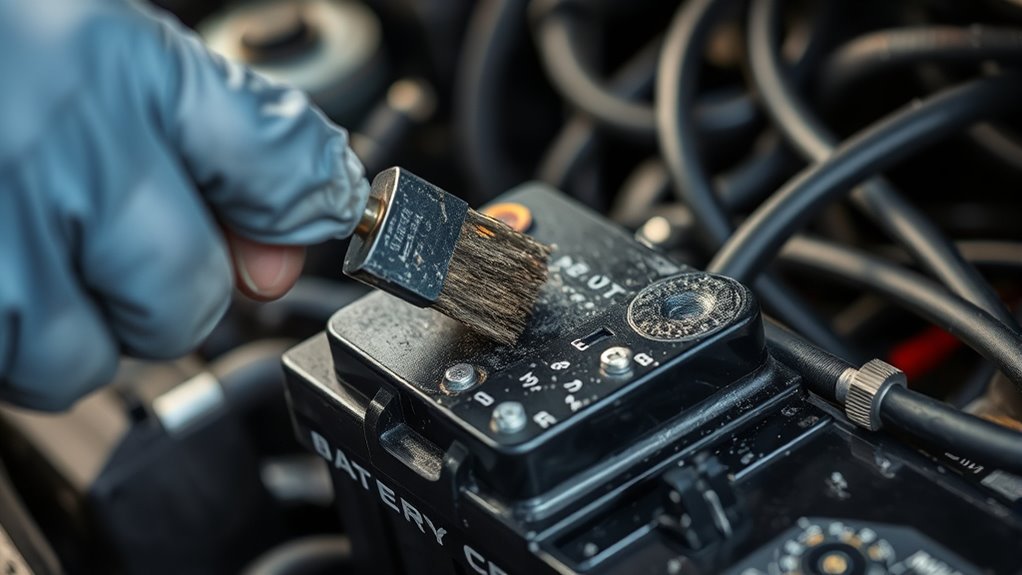
Next, prepare a cleaning solution. A mixture of baking soda and water works effectively for removing corrosion. Mix about two tablespoons of baking soda into a cup of water until it’s well combined. Dip a wire brush or an old toothbrush into the solution and scrub the terminals and cable clamps thoroughly. You’ll see the corrosion and grime loosen and bubble away. For stubborn corrosion, you can use a small metal scraper or a toothbrush dipped in the baking soda solution to gently scrub away the buildup. Be sure to clean both the battery posts and the inside of the cable clamps for a solid connection.
Once the corrosion is removed, rinse the terminals with clean water to wash away any remaining debris and baking soda residue. Dry the area thoroughly with a clean cloth or towel. To prevent future corrosion and extend the battery’s lifespan, consider applying a thin layer of petroleum jelly or a dedicated terminal protectant to the cleaned terminals. This creates a barrier against moisture and corrosion-causing elements, keeping your battery in good condition longer. Additionally, understanding the importance of projector contrast ratio can help you appreciate how detailed and crisp images are maintained in home cinema setups, much like maintaining clean connections ensures reliable electrical performance.
Finally, reattach the cables to the correct terminals, tightening the clamps securely but not excessively. Start your vehicle to ensure everything is connected properly. Regularly inspecting and cleaning your battery terminals is a quick task that can save you time and money in the long run by maintaining reliable electrical contact and preventing corrosion buildup that can shorten your battery’s lifespan.
Frequently Asked Questions
Can Cleaning Battery Terminals Improve Overall Vehicle Performance?
Yes, cleaning your battery terminals improves overall vehicle performance. Regular terminal maintenance prevents corrosion, ensuring a strong connection between the battery and cables. When you remove corrosion, you reduce the risk of starting issues and electrical problems. By keeping your terminals clean and applying corrosion prevention measures, you extend your battery’s lifespan and maintain reliable engine performance, especially in harsh weather conditions.
How Often Should I Clean My Car’s Battery Terminals?
You should clean your car’s battery terminals at least once every six months to prevent battery corrosion and guarantee ideal terminal maintenance. Regular cleaning removes built-up dirt, grime, and corrosion that can cause poor connections. If you notice any corrosion or sluggish starts, clean them more often. Consistent terminal maintenance helps maintain reliable electrical flow, prolongs battery life, and keeps your vehicle running smoothly.
Are There Specific Safety Precautions for Cleaning Terminals?
While delicate details matter, safety always comes first. You should wear protective gear like gloves and goggles to shield yourself from possible splashes, and guarantee proper ventilation in your workspace to avoid harmful fumes. Turn off the vehicle and disconnect the battery to prevent sparks. Avoid working near open flames or smoking, and handle cleaning supplies carefully. These precautions help keep you safe during the cleaning process.
Can I Use Regular Household Cleaning Products for This Task?
You shouldn’t use regular household cleaners for cleaning battery terminals because they’re not designed for that purpose and may pose chemical risks. Household cleaners often contain ingredients that can damage the terminals or create dangerous fumes. Instead, use a baking soda solution or a dedicated battery terminal cleaner. These are safer, effective, and minimize chemical risks, ensuring you clean the terminals safely without damaging your vehicle or risking your health.
What Are Signs That My Battery Terminals Need Cleaning?
You’ll notice corrosion indicators like white, green, or blueish powder around your battery terminals, which signal oxidation. If your car’s electrical system seems sluggish or if you experience difficulty starting your vehicle, these are signs you need to clean the terminals. Terminal oxidation compromises electrical contact, so addressing corrosion early prevents further damage. Regularly inspecting for corrosion indicators helps maintain your battery’s performance and longevity.
Conclusion
Now that you’ve cleaned your battery terminals, think of them as shining jewels, ready to power your journey ahead. With a simple wipe and a touch of care, you’ve cleared the path for your vehicle to run smoothly, like a well-oiled engine humming in harmony. Keep this routine as your secret weapon, and your car will greet every start like a burst of sunshine breaking through a cloudy sky. Your ride’s new sparkle is just a step away!