TL;DR

Get backup power and energy gear delivered free with Prime
- Fast, free delivery on millions of items
- Prime Video, Amazon Music and more included
- Member-only deals all year
Portable power stations store electricity in a rechargeable battery and can keep essentials such as phones, lights, a modem, or some refrigerators running during an outage. Choose by checking both stored energy in watt-hours and output in watts, then match those limits to your appliances and the time you need them. They work quietly indoors when used as directed, but connecting one to household wiring requires compatible transfer equipment and qualified installation.
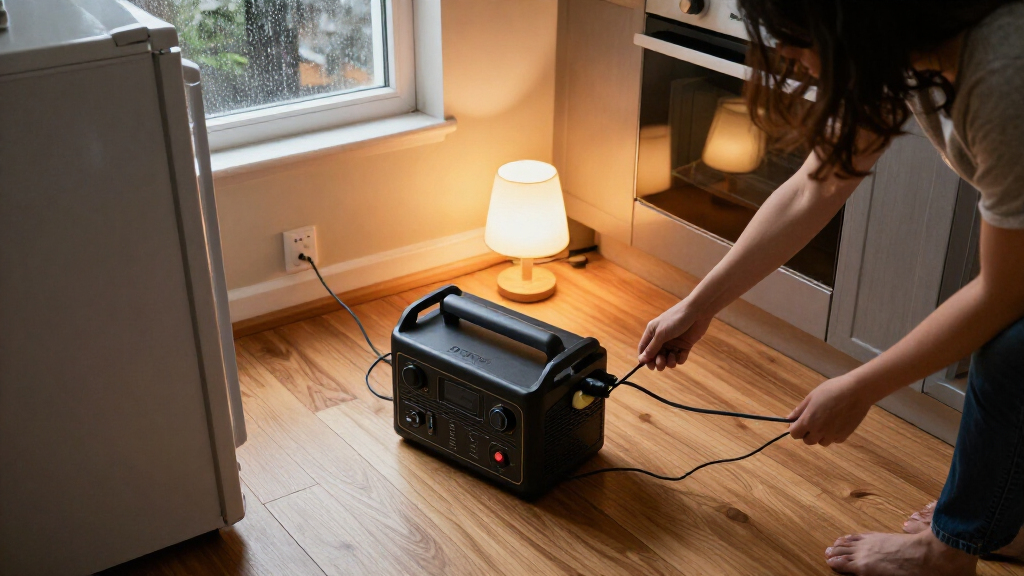
A storm knocks out the lights, the refrigerator goes quiet, and your phone battery sits at 12 percent. A portable power station can keep a few useful things running without the rumble or exhaust of a fuel generator—but its battery is a bucket, not an endless supply.
This guide explains what they are, how to estimate runtime, and which details matter when you shop. You’ll learn how to build a practical backup plan for essentials, when solar can help, and why powering a wall outlet or home circuit takes more than plugging in a battery box.
Estimate energy with device watts multiplied by hours, then allow extra room for inverter losses and changing loads.
Check both watt-hour capacity and continuous and surge output; a refrigerator’s startup draw can matter more than its steady running load.
Choose ports, solar input, and expansion options based on the devices you plan to connect.
Test your planned setup before an outage, especially for a refrigerator, medical device, or UPS-style use.
Use compatible transfer equipment and a qualified professional for any connection to household wiring.
What a Portable Power Station Can—and Can’t—Do
A portable power station is a rechargeable battery system with an inverter and outlets that supplies electricity to devices you plug into it. Most models charge from a wall outlet, a vehicle, or compatible solar panels, making them handy for outages, camping, or a workbench away from the house. The inverter converts the battery’s stored direct current into the alternating current that many household devices use, so that conversion itself consumes some energy.
Think of it as a quiet reserve tank. A 1,000 Wh model could theoretically run a 100 W device for 10 hours, but the real figure will be lower because the inverter uses energy, the battery may hold back a reserve, and devices don’t always draw power steadily. A phone charger might sip energy; a refrigerator compressor can surge when it starts. This distinction matters most when the outage lasts longer than expected: a station that seems large by its headline capacity can be depleted quickly by a high-draw appliance or by leaving devices on continuously.
That makes a station a strong fit for a few selected loads, such as phones, lamps, a modem, or possibly a refrigerator. It is usually a poor match for long stretches of electric heating or air conditioning. Those appliances draw substantial power, so they can exhaust stored energy quickly even if the station can initially supply enough watts to start them. During a winter outage, for example, you may keep a phone, two LED lamps, and the router working while using blankets for warmth. Choosing a short list forces a useful tradeoff: preserve battery for the devices that protect communication, food, or health instead of spreading it across loads the battery cannot sustain.
Think essentials first: a battery station can bridge an outage for specific devices, but it generally cannot supply an entire home for long.
Products Worth Considering

Jackery Explorer 500 v2 Portable Power Station, 512Wh, 500W

Anker SOLIX C300 Portable Power Station, 288Wh

Jackery Explorer 2000 v2 Portable Power Station, 2042Wh
As an affiliate, we earn on qualifying purchases.
Size Your Backup Around the Devices You Need Most
To size a portable power station, match its capacity in watt-hours (Wh) to the energy your devices need over time, then check its output in watts (W) against the devices running at once. Capacity is the size of the energy tank; output is how wide the tap can open. You need enough of both. A large tank with a narrow tap may not start an appliance, while a powerful station with little stored energy may run it only briefly.
Start with this estimate: energy needed (Wh) ≈ device power (W) × hours of use. If a 10 W lamp runs for five hours, it uses about 50 Wh. Add a 15 W modem for eight hours, and that’s another 120 Wh. Those estimates help, but they don’t include losses or extra capacity for uncertain loads. The result is a planning baseline, not a runtime guarantee: actual draw can vary, and the station cannot deliver every rated watt-hour to AC devices after conversion losses and battery reserves.
Output needs its own check. The station must handle the combined running load, and it may also need to handle a brief startup surge. A refrigerator labeled with a modest running draw can demand more as its compressor kicks on. Check the appliance manual or label, along with the station’s continuous and surge ratings. The continuous rating tells you what it can supply over time; the surge rating only covers a short burst. If the startup demand exceeds that brief limit, the appliance may fail to start even when the battery has plenty of energy left.
Imagine a family choosing between a larger battery and a lighter, cheaper one. If they mainly need phones, two lamps, and a modem, the smaller model may suit them; if their list includes a fridge, they should check measured consumption and compressor surge before buying. A cushion for losses and uncertainty beats a plan that works only on paper. The extra capacity costs more and weighs more, so the best choice depends on whether longer runtime is worth the added expense and effort of moving or storing the unit.
Use This Short Checklist Before You Buy
A useful buying decision starts with your outage plan, not the biggest number on a product box. Write down the devices you will actually use, how long you need them, and whether they must run together. Then compare their energy needs with the station’s capacity, output, ports, and charging options. This keeps you from paying for features your household will not use or buying a unit whose headline capacity hides a mismatch with one critical appliance.
- List essential devices. Include items such as phones, lights, a modem, a refrigerator, or prescribed medical equipment. Ranking them helps you decide what gets power first if the outage lasts longer than the battery can support every item.
- Estimate hours and load. Multiply device watts by hours, and total the wattage of devices that will operate at the same time. This gives two useful checks: approximate stored energy needed and the simultaneous demand the inverter must handle.
- Check continuous and surge output. Confirm the station can handle the combined load and any appliance startup draw. A unit that supports the normal load but not a brief motor surge may leave the appliance unusable, so verify both ratings against the appliance requirements.
- Match ports and charging. Count the AC outlets, USB connections, and DC outputs you need. Check solar input limits, panel compatibility, and whether the model supports an expansion battery. These determine how easily you can connect devices and restore energy; a solar input rating is useful only if your panels and available sunlight can actually supply it.
- Test the plan. Plug in the intended devices at home, note what runs and for how long, and learn the station’s controls before an outage. Testing reveals practical constraints such as cable placement and real battery drain that a calculation alone may miss.
For example, test a modem and lamp together during an ordinary evening. You’ll find out whether the outlets and cables reach comfortably, and whether an app or display gives you useful battery information. A test can reveal a missing extension cord or an awkward outlet layout while the room is still bright. It can also show whether the displayed runtime changes sharply when the modem or another device cycles on.
Weight and price rise with capacity and output in many models, so bigger is not automatically better. Someone who must carry the station upstairs may prefer a smaller unit for lights and communications. A household that needs to support a refrigerator may accept a heavier system after checking its real energy use. The tradeoff is practical as well as financial: capacity you cannot move into position or recharge between outages may not help as much as a smaller, easier-to-use setup.
Know When Solar, Battery Chemistry, and Fast Charging Matter
Portable power stations differ in how they charge, how their batteries age, and how much you can expand them. These features shape whether a unit can recover between outages or support several days of careful use. Check the model’s own specifications: a feature name alone does not tell you exactly how it will perform. The value of each feature depends on your likely outage pattern—for example, quick wall charging matters when power returns for only a short window, while solar input matters when you need to replenish energy away from the grid.
Many newer models use lithium iron phosphate (LFP) batteries, a lithium-ion chemistry generally associated with longer cycle life and good thermal stability compared with some conventional lithium-ion chemistries. Actual lifespan depends on the model, temperature, use, and how the manufacturer defines a cycle. A longer rated cycle life may be useful if you expect frequent use, but it does not remove the need to store and charge the battery within its specified conditions. Check the manual for charging and storage guidance instead of assuming all batteries prefer the same routine.
Solar charging can replenish a station when conditions cooperate. A compatible panel needs to stay within the station’s voltage, current, connector, and total solar-input limits. Shade, clouds, panel angle, season, and daylight all affect the result. A sunny afternoon in a clear yard may provide useful charging; a panel behind a window or under tree shade may deliver far less than its rated output. This affects the size of the plan: if solar input cannot replace the energy your devices use each day, the station’s stored battery still sets the limit, and you may need to reduce loads or recharge from another source.
Fast wall charging, modular extra batteries, app monitoring, and UPS-style operation have also appeared in products through 2024. But a UPS label alone does not promise seamless switching or suitability for sensitive equipment. If a home office needs uninterrupted internet equipment, check the stated transfer behavior and test it with your gear before relying on it. Fast charging can shorten the time needed to refill, but it depends on an available power source and may be subject to the manufacturer’s charging limits; extra batteries add reserve energy but also cost and weight. Compare these features against the specific problem you need to solve rather than treating more features as automatically better.
Connect It Safely and Keep Its Limits in View
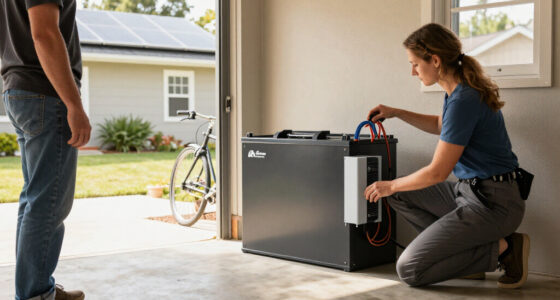
A portable power station with ordinary outlets powers devices you plug directly into it. Connecting it to household wiring is a different job: use a product designed for that setup, compatible transfer equipment, and a qualified electrical professional. Never feed power into your home through a standard outlet. That can backfeed the electrical system and put utility workers at risk. Transfer equipment separates the home from the utility supply as required by the system design; without that separation, power can travel in an unintended direction beyond the home.
For a simple outage setup, keep the station on a stable surface, leave vents unobstructed, and follow the manufacturer’s instructions for temperature, charging, and storage. Battery stations do not produce exhaust while operating like fuel generators, but damaged equipment or blocked ventilation still deserves attention. Don’t charge outside the specified temperature range. These precautions help the system operate as designed and protect the battery, whose performance and lifespan can be affected by heat, cold, or physical damage.
Medical equipment needs extra planning. A station may run a CPAP machine, but you must check the device’s power draw, the required runtime for the full night, and any battery recommendations from your clinician or device supplier. If someone depends on powered medical equipment, arrange a backup plan with their care team; an untested battery calculation should not be the only plan. A brief test can confirm that the connections work, but it cannot guarantee the battery will cover a longer outage or changing power needs.
There’s also a real trade-off with fuel generators. A battery station runs quietly and avoids operating exhaust, while a fuel generator can provide power for longer if you have fuel and a safe outdoor location. Both options need correct use. Never run a fuel generator indoors, in a garage, or near openings where exhaust can enter the home. A battery station’s quiet operation and indoor convenience come with finite stored energy, while a generator’s longer operation depends on fuel supply and safe outdoor placement.
Frequently Asked Questions
What can a portable power station run during an outage?
It can run devices that fit its output limit and available capacity, often including phones, lights, routers, and some refrigerators. Check the combined load and appliance startup surge before connecting them.
How long will a portable power station run my refrigerator?
There is no universal runtime because refrigerators vary in energy use, compressor cycling, and startup draw. Use measured or manufacturer-provided consumption where possible, and account for inverter losses and room temperature.
Can a portable power station power a whole house?
Most portable stations are meant for selected loads, not unrestricted whole-home use. Some larger expandable systems can support selected circuits with compatible equipment, but runtime and output still have limits.
Can I connect a power station to my electrical panel?
Only if the product supports that setup and it connects through appropriate transfer equipment installed by a qualified professional. Never plug a station into a standard wall outlet to send power through home wiring.
Can solar panels recharge a portable power station?
Usually, if the panel’s voltage, current, connector, and total input fit the station’s specifications. Charging time changes with sunlight, panel placement, shade, and weather.
Can I use a portable power station with a CPAP machine?
Possibly, but check the CPAP’s power requirements and calculate energy for the full overnight runtime. Confirm battery recommendations with your clinician or device supplier, then test the exact setup before relying on it.
Conclusion
Choose your station around a written list of essentials: what must run, how long it must run, and whether those devices start together. Then check capacity, continuous output, surge rating, and charging compatibility, and test the setup while you still have ordinary power.
A good backup plan feels less like powering a whole house and more like lighting one warm corner of it: a lamp glowing, the phone charged, and the message from home finally loading.