
To revive your old laptop battery, start by replacing degraded cells with compatible ones, following proper handling and safety protocols to prevent damage. Then, calibrate the battery by fully charging it, discharging it completely, and recharging it to help the system accurately estimate capacity. Regular maintenance and responsible disposal enhance performance and lifespan. Stay with us to discover detailed steps that will help you extend your battery’s life and restore its efficiency.

Get backup power and energy gear delivered free with Prime
- Fast, free delivery on millions of items
- Prime Video, Amazon Music and more included
- Member-only deals all year
Key Takeaways
- Replacing degraded cells can restore battery capacity and extend laptop battery life.
- Proper sourcing and handling of replacement cells are critical for safety and compatibility.
- Calibration involves fully charging, discharging, and recharging the battery to improve performance.
- Regular maintenance, including calibration, helps maintain accurate capacity estimates and prolongs lifespan.
- Responsible disposal or recycling of old cells prevents environmental harm and supports sustainability.
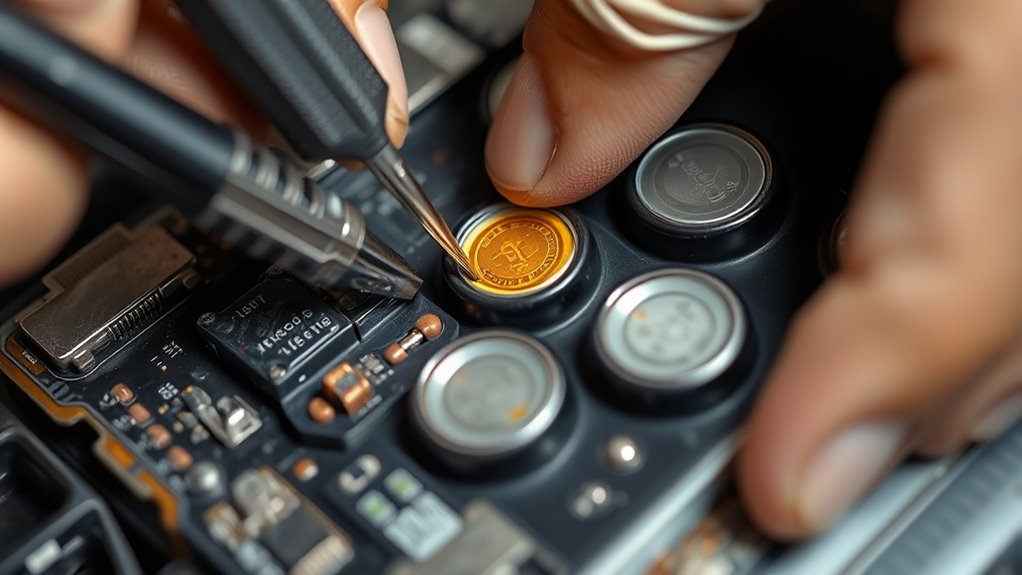
Over time, laptop batteries naturally lose their capacity, but you don’t have to replace them right away. Many issues stem from degraded cells within the battery pack, which can often be revived through cell replacement or calibration. When considering cell replacement, it’s essential to understand the importance of proper handling and disposal. Lithium-ion chemistry, which powers most laptop batteries, is highly efficient but sensitive. If you decide to replace individual cells, make sure you source the correct type and follow safety protocols, as mishandling can lead to fires or damage. Proper battery recycling is vital here; it ensures that old, degraded cells are disposed of responsibly and that valuable materials are recovered for reuse, reducing environmental impact. Additionally, understanding safe handling practices is crucial to prevent accidents during the repair process.
Replacing cells isn’t a straightforward DIY task for everyone, but it’s an option if you’re comfortable working with electronic components. You’ll need to carefully open the battery pack, identify the degraded cells, and replace them with new ones that match the original specifications. This process can extend the lifespan of your laptop battery considerably, saving you money and reducing electronic waste. Keep in mind, though, that lithium-ion cells have a limited number of charge cycles, and over time, their capacity diminishes due to chemical changes inside. That’s where calibration comes in as a simple yet effective method to improve battery performance. Calibration involves fully charging your battery, then draining it completely before charging again, helping your laptop’s power management system better estimate remaining capacity.
When reviving your old battery, it’s also worthwhile to consider the health of the entire pack. Sometimes, the issue isn’t just one or two cells but a combination of degraded components. If calibration doesn’t restore expected performance, replacing individual cells or even the entire pack might be necessary. Proper maintenance, including avoiding deep discharges and keeping the battery cool, can extend its lifespan. Always remember to handle your battery with care, especially during cell replacement, and recycle the old cells responsibly. Lithium-ion chemistry is efficient but environmentally sensitive, so disposing of batteries through certified recycling programs ensures safe handling of hazardous materials and promotes sustainability. Ultimately, whether you choose to replace cells or calibrate your battery, taking these steps can give your old laptop battery a new lease on life, saving you money and helping protect the environment.
Products Worth Considering

Bose QuietComfort Ultra Earbuds (2nd Gen), Deep Plum

Logitech MX Mechanical Wireless Illuminated Keyboard, Tactile Quiet, Graphite

Jackery Explorer 2000 v2 Portable Power Station with Two 200W Solar Panels
As an affiliate, we earn on qualifying purchases.
Frequently Asked Questions
How Long Does a Typical Battery Cell Replacement Process Take?
Replacing your laptop battery cells typically takes about 1 to 2 hours, depending on your experience and equipment. During this process, you’ll extend your battery’s lifespan and enjoy calibration benefits, ensuring accurate power readings. If you’re new to this, it might take longer, but experienced users can often complete it more quickly. Proper calibration afterward helps optimize performance, making your laptop’s battery reliable and efficient again.
Can I Replace Individual Cells Myself or Should I Seek Professional Help?
Replacing individual cells in your laptop battery is like trying to fine-tune a delicate instrument; it’s complex and requires precision. While DIY repair might seem tempting, it’s often better to seek professional assistance to avoid damaging your device or risking safety. Professionals have the right tools and expertise to handle battery cells safely, ensuring your laptop’s longevity and performance without the headaches of a risky, self-guided repair.
What Are the Signs Indicating My Battery Needs Calibration?
You’ll notice your battery needs calibration if your laptop’s battery health reports inconsistent or inaccurate charge levels, sudden shutdowns, or if the battery percentage seems to jump erratically. To check, use calibration techniques like fully charging and then discharging your battery. Regular calibration helps maintain accurate battery health readings, ensuring your laptop’s battery performance stays reliable. If issues persist, consider professional help for detailed diagnostics.
Are There Risks of Damaging My Laptop During Battery Calibration?
Oh, the irony—calibrating your battery might sound risky, but it’s actually quite safe if you follow proper battery safety guidelines. You won’t damage your laptop if you avoid extreme discharges or overcharging. To guarantee calibration accuracy, stick to manufacturer instructions, keep your device cool, and don’t rush the process. Proper caution minimizes risks, helping you get the most reliable battery readings without harming your laptop.
How Often Should I Recalibrate My Laptop Battery for Optimal Performance?
You should recalibrate your laptop battery every 1 to 3 months to maintain ideal performance and battery health. Regular calibration helps your system accurately display remaining battery life and prevents unnecessary wear. If you notice rapid battery drain or inaccurate readings, recalibrate more frequently. Remember to fully charge and discharge your battery during calibration cycles, and avoid over-calibrating, which won’t improve battery health but is unnecessary.
Conclusion
Reviving your old laptop battery through cell replacement and calibration can substantially extend its lifespan, saving you money and reducing electronic waste. While some might doubt the effectiveness, proper techniques make a noticeable difference, restoring battery health and performance. Keep in mind, if the battery is severely damaged or swollen, professional replacement is safer. With patience and care, you can breathe new life into your laptop’s power source, making it a reliable companion once again.